RGB to CMYK Image Converter
This RGB to CMYK image converter turns a JPEG, PNG or WebP picture into a CMYK TIFF or JPEG with a printer ICC profile embedded, ready to send to a print shop. Before you download, a slider lets you compare the original with a print preview, so you can see how the colors will shift on paper. The image is converted in your browser and never uploaded, and no account is needed.
How to convert an image from RGB to CMYK
- Select Choose an image or drop it here, or drop a file onto the zone.
- Wait a moment while it converts, then drag the divider between Original and Print preview. The arrow keys move it too.
- Open Settings if your printer asked for a specific Printer profile or File format. Changing either converts the image again at once.
- Press Download CMYK TIFF (or Download CMYK JPEG). The file is named
like
photo-cmyk.tifand is saved at full resolution.
To convert another picture, press the back arrow in the top bar (Choose another image).
What the print preview shows
The right side of the slider, Print preview, is a soft proof. The CMYK result is read back through the printer profile into sRGB, so what you see is the CMYK color brought back to your screen. Bright blues, greens and oranges usually turn duller, because ink cannot reach every color a screen can. Two small cards show CMYK file, the size of the file you will download, and Pixels, its width by height.
The preview is a guide, not a proof from a calibrated press. Screens differ, and paper and ink change the final color, so ask your printer for a hard proof when color matters.
Printer profile: SWOP, GRACoL or FOGRA39
A printer profile describes how a particular press and paper turn CMYK numbers into color. Use the profile your printer names. If you are unsure, ask them.
| Printer profile | What it is for |
|---|---|
| SWOP 2006 Coated #3 | US web-offset printing: magazines, catalogs, inserts |
| GRACoL 2006 Coated #1 | US sheetfed commercial printing: brochures, posters, packaging |
| FOGRA39 Coated | European offset printing on coated paper (ISO 12647-2) |
The default depends on your region: SWOP where Letter paper is the norm, FOGRA39 elsewhere.
CMYK TIFF or CMYK JPEG
| File format | How it is saved | Pick it when |
|---|---|---|
| TIFF (default) | 8-bit CMYK, lossless LZW compression | The printer says nothing, since most printers expect TIFF |
| JPEG | 8-bit CMYK, quality 95, no chroma subsampling | The printer accepts JPEG or you need a smaller file |
The printer profile is embedded in the file, and that adds weight. The SWOP and GRACoL profiles are about 2.7 MB each and FOGRA39 is about 0.1 MB, so even a small image gives a file over 2.7 MB with SWOP or GRACoL. PNG is not offered because the PNG format cannot hold CMYK.
Which images work
JPEG, PNG and WebP open directly. Camera RAW files (DNG, CR2, NEF, ARW and similar) and iPhone HEIC photos are first opened to a high-quality JPEG, with the long edge capped at 6000 px, and then converted. The limits are 40 megapixels (about A2 at 300 dpi) and 250 MB per file. A PNG with transparency is flattened onto white, because CMYK has no transparency.
How the conversion works
The converter uses ICC color management with perceptual rendering and black point compensation, so colors outside the press range are compressed into it rather than clipped. The starting profile is the one embedded in your image, such as Adobe RGB or Display P3, and sRGB if it has none. Grey images are treated as sRGB, and a JPEG that is already CMYK is converted through its own profile. The preview is a reduced copy (1600 px on the long edge), while the download keeps the full resolution.
Frequently Asked Questions
How do I convert RGB to CMYK without losing color?
You cannot keep every color, because print ink reaches fewer colors than a screen. What you can do is convert carefully. This converter uses a printer ICC profile with perceptual rendering and black point compensation, so out-of-gamut colors are compressed into the press range instead of being clipped flat. Drag the divider between Original and Print preview to see which colors will shift before you download.
How do I convert RGB to CMYK without Photoshop?
Choose your JPEG, PNG or WebP image above, check the Print preview, and press Download CMYK TIFF. The conversion runs in your browser with ImageMagick compiled to WebAssembly, so there is nothing to install and no Adobe account. The file you get has the printer profile embedded, as a CMYK file exported from an editor would.
Can PNG be CMYK?
The PNG format cannot store CMYK, which is why this tool offers TIFF and JPEG output only. You can still start from a PNG. It is converted to a CMYK TIFF or JPEG, and any transparency is flattened onto white because CMYK has no transparency.
Why does CMYK look dull?
A screen mixes red, green and blue light and can show very saturated, glowing colors. Ink on paper reflects light and cannot reach the brightest blues, greens and oranges, so those are pulled toward duller shades in CMYK. The Print preview shows that shift on your own image, read back through the printer profile to sRGB.
Do I need to convert RGB to CMYK for printing?
It depends on the printer. Many commercial printers ask for a CMYK file with a named profile, and some accept RGB and convert it themselves. Check the printer's file requirements or ask them. Converting yourself lets you preview the color shift and choose the profile instead of leaving it to their default.
Which CMYK profile should I use for print?
Use the profile your printer names. SWOP 2006 Coated #3 is for US web-offset printing such as magazines and catalogs, GRACoL 2006 Coated #1 is for US sheetfed commercial printing, and FOGRA39 Coated is the European standard for coated paper. If you are not sure, ask the printer which one they work to.
Is TIFF or JPEG better for printing?
TIFF is the safer choice and the default here. It is lossless, compressed with LZW, and it is what most printers expect. JPEG is smaller, saved at quality 95 with no chroma subsampling, but it still loses a little detail. Pick JPEG only when the printer accepts it or a smaller file matters. Changing File format re-converts the image at once.
Is my image uploaded when I convert it to CMYK?
No. The image is read and converted on your device in a Web Worker, so nothing is sent to a server and no account is needed. Camera RAW and iPhone HEIC photos are opened on your device first, then converted the same way.
Recommended
-
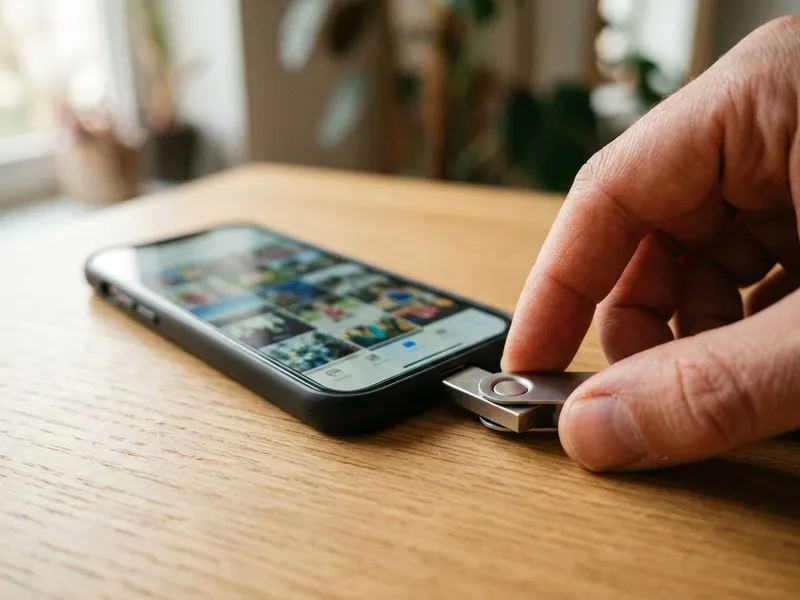 SanDisk 128GB Dual Drive (USB-C + USB-A)
Carry the big full-resolution TIFF to your print shop on a drive with both USB-C and USB-A.
-
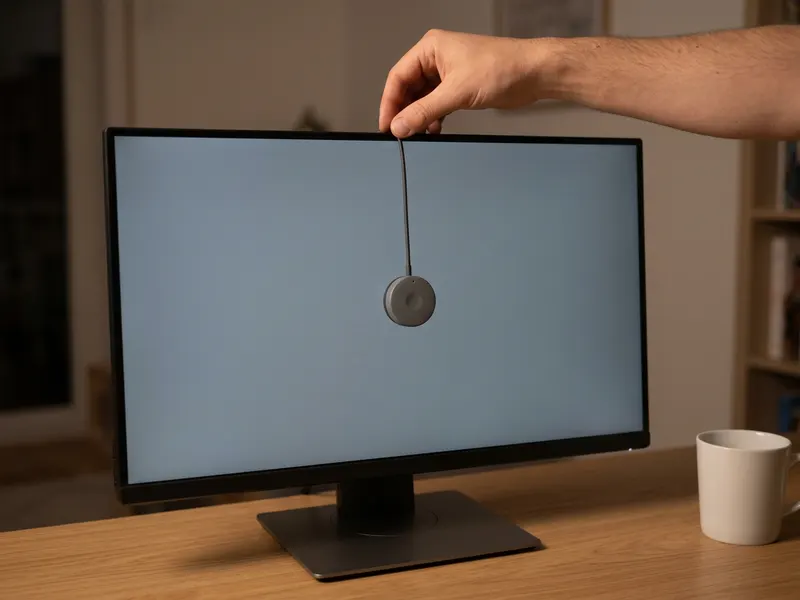 Datacolor Spyder Screen Calibrator
Calibrate your screen so the before/after print preview shows colors you can trust.
-
 Nix Mini 3 Color Sensor
Read a brand color off a printed sample and compare it with your CMYK result.
Helps keep the tools free. ✨
Images are for illustration only. As an Amazon Associate I earn from qualifying purchases.


