What Is My IP Address?
This page shows your public IP address the moment it loads: the address websites see when your browser connects to them. It can be IPv4 or IPv6. Copy it to paste into a support ticket, a firewall allow-list or a network setting.
How to see and copy your public IP address
- Wait a moment while Checking your connection… is replaced by your address, shown in large text under Your public IP address.
- Select Copy under the address. A Copied! label confirms it is on your clipboard.
- Select Refresh to look it up again, for example after you switch networks or turn a VPN on or off. A second click within a second of the last one is ignored.
- Select Show details to open two more rows, Protocol and Browser (User-Agent). Hide details closes them.
If the lookup fails, the page says Couldn't find your IP address and Try again takes the place of Copy. The usual causes are being offline or a VPN, firewall or content blocker that stops the request.
What the details show
- Protocol says IPv4 or IPv6, whichever the address you were given is.
- Browser (User-Agent) is the text your browser announces to every website, naming the browser, its version and your operating system. Support staff sometimes ask for it alongside your IP address.
IPv4 or IPv6
An IPv4 address is four numbers separated by dots, such as 203.0.113.42. An IPv6 address is longer, written as groups of letters and numbers separated by colons, such as 2001:db8::1. Many connections support both, and which one a lookup returns depends on which one your connection used for that request. If you were shown one and need the other, select Refresh, but a connection with only one kind will keep returning it.
Public IP address vs private IP address
The address on this page is the public one: it belongs to your connection as the internet sees it. Inside your home or office, each device also has a private address from the router, and many devices share the one public address.
| Starts with | Kind | Shown here? |
|---|---|---|
192.168. | Private (home networks) | No |
10. | Private (home and office networks) | No |
172.16. to 172.31. | Private | No |
| Anything else | Public | Yes |
To find the private address of your device, look in its network settings or on your router's page.
When the address is not your device's
The tool reports the address the internet sees, so it is only as specific as the path your traffic takes. You will see someone else's address when you are behind:
- a VPN or proxy, which shows the VPN server's or proxy's address;
- iCloud Private Relay, which hides your own address from websites;
- a work or school network, where every device may share one outgoing address;
- a mobile carrier's shared address (CGNAT), where many customers share one.
If you need your provider-assigned address, turn the VPN or relay off and select Refresh.
How the lookup works
- Your browser asks Cloudflare's public trace endpoint (
1.1.1.1/cdn-cgi/trace) for the address of the connection making the request. - If that is blocked, it asks Capsule Tools' own Cloudflare trace endpoint instead.
- If both fail, it uses WebRTC with a Google STUN server (
stun.l.google.com) to read the public address your connection presents.
Capsule Tools does not store the address, and the tool does not send it anywhere beyond those requests. Like any website, the servers that deliver a page can see the address that connects to them in the ordinary course of a web request.
What this tool does not do
It shows one thing: the public address of the connection your browser used. It does not show your local address, your location, your internet provider, a speed test or a history of past addresses. Looking up where an address is registered is a separate job, and a location guessed from an address is only approximate.
Frequently asked questions
What is my IP address right now?
It is the address shown under Your public IP address at the top of this page. That is the address the internet sees for the connection your browser used for the lookup. Select Refresh to check again, for example after you switch Wi-Fi or turn a VPN on.
How do I find my public IP address?
You do not need a command line. The address appears by itself as soon as the page loads, and Copy puts it on your clipboard so you can paste it into a support ticket, a firewall allow-list or a network setting. If it cannot be found, the page says Couldn't find your IP address and offers Try again.
What is the difference between a public IP address and a private IP address?
A public IP address is the one the internet sees for your connection, and it is what this page shows. A private IP address, such as 192.168.1.20, is the one your router gave your device inside your own network. Many devices at home share a single public address, and each has its own private one.
Is my IP address IPv4 or IPv6?
Select Show details and read the Protocol row: it says IPv4 or IPv6. An IPv4 address is four numbers separated by dots, such as 203.0.113.42. An IPv6 address is groups of letters and numbers separated by colons, such as 2001:db8::1. A connection that supports both can answer with either one, so Refresh may show the other.
Is 192.168.x.x my IP address?
It is your local (private) address, not your public one, so it will not match what is shown here. Addresses starting with 192.168, 10 or 172.16 to 172.31 are private and only work inside your own network. This tool shows only the public address. Your local address is on your router's page or in your device's network settings.
Why does my IP address change?
Most home internet providers give out public addresses that can change, for example when the router restarts or the provider renews it. Moving from Wi-Fi to mobile data, joining another network or turning a VPN on or off also gives you a different address. Select Refresh after any of these to see the new one.
What is my IP address with a VPN?
With a VPN on, this page shows the VPN server's address, not the one your provider gave you. That is the sign the VPN is carrying your browser's traffic. If you still see your normal address, the browser may be outside the VPN, for example because of split tunnelling or a browser-only setting. Select Refresh after connecting.
Why does my IP address show a different location?
This tool shows only the address and no location. Sites that guess a place from an IP address use records of who the address belongs to, so a VPN, iCloud Private Relay, a mobile carrier or a provider whose hub is in another city can put you in the wrong place. The address identifies a network, not your street.
What is CGNAT?
CGNAT, carrier-grade NAT, means an internet or mobile provider shares one public IP address among many customers. If you are behind it, the address on this page is the provider's shared address, not one reserved for you, and it can change often. It also usually stops other people reaching your device from outside.
Does Capsule Tools store my IP address?
No. The address is looked up from your browser and shown on the page, and the tool does not save it or send it anywhere else. The lookup itself is an ordinary request to Cloudflare, and only if that is blocked does the browser try a Google STUN server. Copy uses your clipboard and nothing else.
Recommended
-
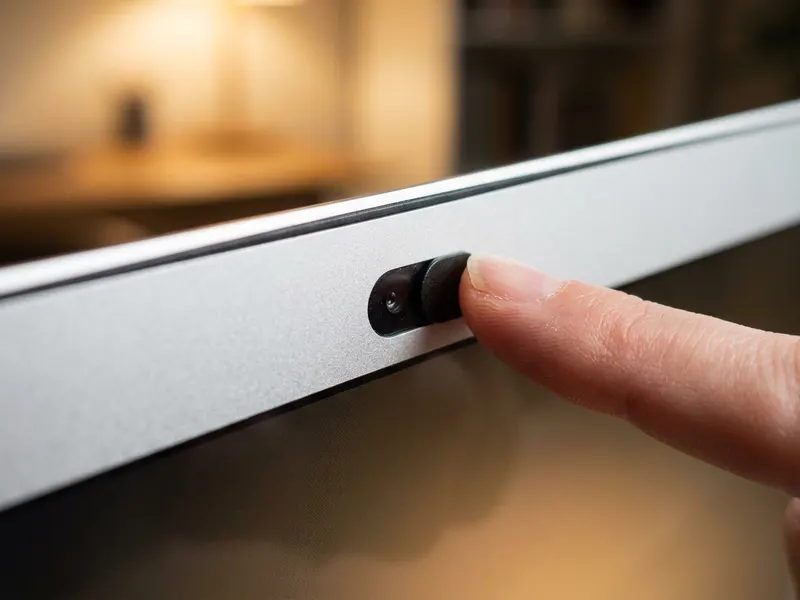 CloudValley Webcam Cover Slide (2 pack)
Checking a VPN or sharing your address with support? A slide cover keeps the webcam shut between calls.
-
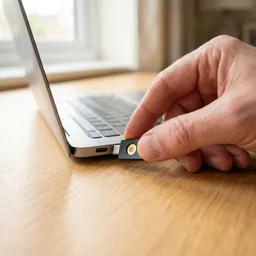 YubiKey 5C NFC Security Key
Once you know your address, put the router and admin logins behind a physical security key.
-
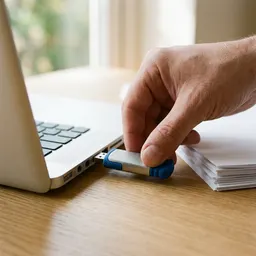 Kingston IronKey Vault Privacy 50 Encrypted USB
Keep firewall rules, VPN configs and keys on an encrypted drive instead of loose files.
Helps keep the tools free. ✨
Images are for illustration only. As an Amazon Associate I earn from qualifying purchases.


