HTTP Header Parser
Paste raw HTTP headers, or the header block of an email, and get a sorted, searchable table with one row per header. Repeated headers such as Set-Cookie are merged into a single row with each value listed separately, and the whole set can be copied as JSON. It only restructures the text you paste: nothing is looked up, checked or decoded.
How to parse HTTP headers into a table and JSON
- Copy the headers: from the Network tab in your browser’s developer tools (Copy request headers or Copy response headers), from the output of
curl -i, or from the top of an email’s source. Paste only the header lines, not the body that follows. - Paste them into Raw headers. The box accepts up to 5 MB (5,000,000 characters).
- Under Parsing mode choose Email / RFC 5322 (the default) or Strict HTTP. The difference is explained below.
- Press Parse headers. The Parsed headers screen opens with a table of Name and Value, sorted A to Z by name and ignoring case. Long values, such as a DKIM signature, scroll sideways inside the table.
- Type in Filter by name or value to narrow the rows. The count under it changes from, say, “12 headers” to “3 of 12 headers”, and the filter ignores case.
- Press Copy as JSON to put every parsed header on the clipboard. Edit headers goes back to the pasted text, which is still there, so you can fix a line and parse again.
Example: raw headers in, JSON out
This block is a response status line, three ordinary headers, two Set-Cookie lines (one written in lowercase) and a Received header folded onto a second line:
In the default Email / RFC 5322 mode it becomes four rows. The two cookies share one row, the folded Received value is joined into one line, and the status line is listed as skipped because it has no name before a colon. Copy as JSON gives:
The merged row keeps the first spelling it saw, set-cookie, and becomes an array because the header appeared twice. A header that appears once is a plain string.
Strict HTTP or Email / RFC 5322: which mode to choose
The modes differ only in what they do with a line that starts with a space or a tab.
| Mode | A line that starts with a space or tab | Use it for |
|---|---|---|
| Email / RFC 5322 | Joined onto the line above with a single space (unfolded). | Email headers, where long values such as Received and DKIM-Signature are wrapped over several lines. |
| Strict HTTP | Rejected and listed as skipped, not joined. | HTTP requests and responses, where an indented line is not a continuation and you want to see it flagged. |
If you are not sure, leave the default. It is the more forgiving of the two.
What the parser skips, merges and leaves alone
- Split at the first colon. The name is everything before it and the value everything after, so a value that contains colons, such as a date or a URL, stays whole.
- Skipped lines. A line with no name before a colon is not a header. That covers an HTTP status line (
HTTP/1.1 200 OK), a request line (GET /index.html HTTP/1.1) and stray text. A note above the table counts the skipped lines and shows the first five. - Pseudo-headers. HTTP/2 names that start with a colon, such as
:authorityand:method, are accepted and sort to the top. - Repeated names. Names are compared without regard to case. Each value keeps its own line in the table, in the order it appeared.
- Empty values. A header with nothing after the colon is shown as (empty).
- Blank lines are ignored, but they do not end the headers. Any later line with a name and a colon, including a line of an email body, becomes a row, so copy only the header block.
What this parser does not do
It structures text and nothing more. It does not trace the route of a message, verify SPF, DKIM or DMARC, judge whether an email is spam or genuine, or decode values: encoded words such as =?UTF-8?B?…?= and Base64 strings are shown as pasted (a Base64 converter will decode the latter). If you want the sender, the authentication results and the server-by-server route read out of an email, use the Email Header Analyzer instead.
Parsing runs in your browser and the pasted headers are not uploaded or saved. That matters here, because header blocks often hold session cookies, API keys and email addresses.
Frequently asked questions
How do I copy request headers in Chrome?
Open DevTools, go to the Network tab and reload the page. Right-click the request, choose Copy, then Copy request headers (or Copy response headers). Paste the result into Raw headers and press Parse headers. Firefox has the same Copy menu on a request in its Network tab. If you use curl -i, paste only the header lines, not the response body that follows them.
Are HTTP headers case sensitive?
Header names are not: Content-Type, content-type and CONTENT-TYPE are the same header, so the parser merges them into one row under the spelling that appeared first. Header values are kept as written, apart from spaces trimmed at the start and end, because some values, such as cookie values and tokens, are case sensitive.
Can you have multiple Set-Cookie headers?
Yes. A response sends one Set-Cookie line per cookie, and Set-Cookie is the standard example of a header that cannot be safely joined with commas. The parser lists each Set-Cookie value on its own line inside a single row, and Copy as JSON turns that row into an array. Received headers in email repeat the same way, once per server.
What are HTTP/2 pseudo-headers like :authority?
Pseudo-headers are the request fields HTTP/2 writes as headers whose names start with a colon: :method, :scheme, :authority and :path, plus :status in responses. :authority carries the host, as the Host header does in HTTP/1.1. The parser treats a leading colon as part of the name, so these appear as ordinary rows, sorted ahead of the other headers.
How do I convert HTTP headers to JSON?
Paste the headers, press Parse headers, then press Copy as JSON. You get one JSON object with the header names as keys. A header that appeared once is a string; a header that repeated, such as Set-Cookie, is an array of strings in the order they appeared. The JSON always holds every parsed header, even when the filter box is hiding some rows.
Is it safe to paste cookies and tokens into an online header parser?
Parsing happens in your browser, and nothing you paste is uploaded or saved, so the cookies and tokens in a header block are not sent anywhere by this page. Still, treat a live session cookie or Authorization header like a password: replace the value before you share the headers or the JSON with anyone.
Recommended
-
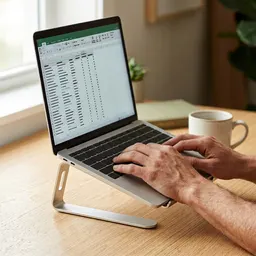 Amazon Basics Adjustable Laptop Stand
Lifts your laptop to eye level so a long header dump is easier on your neck.
-
 Quntis Monitor Light Bar
Lights the desk while you chase a bad response at night, without glare on the screen.
-
 ARZOPA 16" 144 Hz Portable Monitor
Keeps DevTools or the terminal on a second screen next to your headers.
Helps keep the tools free. ✨
Images are for illustration only. As an Amazon Associate I earn from qualifying purchases.


