Extract URLs from Text
Paste any text, HTML or Markdown and this tool will extract the URLs from the text: every link that starts with http://, https:// or www., listed one per line in the order it first appears. Use it on log files, exported notes, email text, page source or a spreadsheet column.
How to extract URLs from text
- Paste your text into Source text and press Extract URLs.
- The Links screen shows a count such as "12 URLs" and the list in the read-only Extracted URLs box.
- Press Copy All (it changes to "Copied") and paste the list into a spreadsheet, a document or a script.
- To fix the text and run it again, use the back arrow in the top bar (Edit text).
- Docs are at https://docs.example.com/start, see also (https://example.com/a).
- Shop: www.example.org/shop! Again: https://example.com/a
- [Guide](https://example.com/guide) and https://en.wikipedia.org/wiki/Foo_(bar).
- https://docs.example.com/start
- https://example.com/a
- www.example.org/shop
- https://example.com/guide
- https://en.wikipedia.org/wiki/Foo_(bar)
Trailing punctuation that belongs to the sentence is dropped. A closing bracket is dropped too, unless the link itself opened one, which is why the Wikipedia address stays whole. A www. link is shown as written, not rewritten to https.
What it finds and what it leaves out
| Found | Not found |
|---|---|
Links starting http://, https:// or www. | Bare domains such as example.com/page |
Links inside Markdown [text](url) | Email addresses and mailto: links |
Addresses in HTML href="..." and src="..." | ftp: links |
| Links followed by Japanese or Chinese punctuation such as 。 | Links split across lines or broken by spaces |
Extract links from HTML and Markdown
Paste the page source, an email's HTML or a Markdown file straight into Source text. The addresses inside href and src attributes are found, & is turned back into &, and a Markdown link gives you the address without the brackets around it. A link inside a script, a comment or an image tag is found like any other, so the list can hold more than the visible links of a page.
Remove duplicates and keep one domain
Open Options. The same panel is open on the Links screen, and the list updates the moment you change it.
- Remove duplicates (on by default): keeps the first copy of each link. The count line then says how many were removed, for example "3 duplicates removed". Links must match exactly, so
https://example.com/aandhttps://example.com/a/are two links. - Must contain (optional): keeps only links that include this text, ignoring capitals. Type a domain such as
example.comto keep one site. The count line shows how many were left out, for example "2 links left out by Must contain".
Duplicates are removed first and the filter is applied second, so both counts are of distinct links. The order of first appearance is kept, and nothing is sorted.
After you have the list
To put the list in order, use Alphabetize List. To treat links that differ only in capitals as repeats, run the list through Remove Duplicate Lines with Ignore case on. To add or strip a prefix on every link, use Find and Replace, and to write your own pattern for something this tool does not find, try the Regex Tester.
Frequently asked questions
How do I extract URLs from text online?
Paste the text into Source text and press Extract URLs. The Links screen lists every http://, https:// and www. link in the order it first appears, one per line. Press Copy All to take the list.
How do I extract links from HTML?
Paste the page source or any HTML snippet into Source text. The tool reads the address inside href="..." and src="..." as well as links written out in the text, and turns & back into &. Paste the HTML as text: the tool does not fetch a web page for you.
How do I extract links from Markdown?
Paste the Markdown as it is. In [text](https://example.com) only the address is returned, without the closing bracket, and a link written out in the open, like https://example.com, is found too.
Can I extract all URLs from a text file?
Yes. Open the file in any editor, select everything, copy it and paste it into Source text. There is no file upload, so the text stays on your device. Log files, exported notes, email text and code all work the same way.
How do I extract URLs from text in Excel or Google Sheets?
Copy the cells and paste them into Source text. Any link that is visible in a cell as text is found. A cell that shows a word like "Docs" with a hyperlink behind it pastes only the word, so the address is not in the text to find.
How do I extract the domain from a URL?
The tool returns whole links, not bare domains. To keep only the links on one site, type the domain in Must contain, for example example.com, and the list drops every link without it.
Does it remove duplicate URLs?
Yes, Remove duplicates is on by default and keeps the first copy of each link in its original position. Links must match exactly, so a different capital letter or a trailing slash makes a link count as a different one. Untick Remove duplicates in Options to see every link, repeats included.
Does it find email addresses or mailto links?
No. It looks only for links that start with http://, https:// or www. Email addresses, mailto: and ftp: links, and bare domains such as example.com/page with no http(s):// or www in front are left out.
How many links can it handle?
A paste with 300,000 links took about 150 milliseconds in testing, so a long log or a large export is fine. The list is a single read-only box, so a long result does not slow the page.
Is my text uploaded anywhere?
No. The links are found in your browser. Nothing is uploaded or saved, and closing the page clears the text.
Recommended
-
 Amazon Basics Foldable Laptop Stand
Raise your laptop so long logs and page source stay easy to read while you pull links out.
-
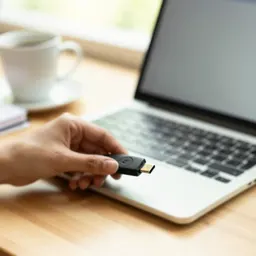 Yubico Security Key C NFC
Sorting through an email dump full of links? Lock your accounts with a hardware key before you click any of them.
-
 KYY 15.6" Portable Monitor
Keep the raw dump open on a second screen while the clean link list sits on the first.
Helps keep the tools free. ✨
Images are for illustration only. As an Amazon Associate I earn from qualifying purchases.


