Remove Duplicate Lines Online
Paste a list and this tool will remove duplicate lines online as you go: every repeated line disappears, the first copy of each stays, and the original order is kept. Use it for email lists, keywords, URLs, log lines, names or any text with one item per line.
How to remove duplicate lines
- Paste your text into Your list, one item per line. Clear empties the box when you want to start over.
- Read the result in Unique lines. It updates on every keystroke, so there is no button to press. The pill beside it reads "N duplicates removed", or "No duplicates found" when the list was already clean.
- Press Copy to clipboard (the label changes to "Copied") and paste the cleaned list where you need it.
- apple
- banana
- apple
- cherry
- banana
- apple
- banana
- cherry
Options: ignore case, trim whitespace, sort A-Z
Open Options to change how lines are compared. The output always keeps your text exactly as you typed it; the options only decide what counts as a duplicate.
- Ignore case (off by default): Apple and apple count as the same line.
- Trim whitespace (on by default): spaces and tabs at the start and end of each line are ignored when comparing, so "apple" and "apple " match.
- Sort A-Z (off by default): alphabetizes the result instead of keeping the original order.
What counts as a duplicate
The first occurrence of each line is kept, in its original position. Blank lines are lines too, so repeated blank lines collapse to one. Windows, Mac and Linux line endings all work, and an accented letter like é counts as the same whether it was typed as one character or as a letter plus an accent. Lines are compared whole: the tool does not match patterns, remove lines that merely contain a word, or count how many times each line appeared.
Frequently asked questions
How do I remove duplicate lines from a list online?
Paste your list into the Your list box, one item per line. The Unique lines box underneath fills in instantly with every repeat removed, and a pill beside it says how many duplicates were removed. Press Copy to clipboard to take the result.
How do I remove duplicate lines without sorting?
That is how the tool works by default. It keeps the first occurrence of each line and leaves everything in the order you pasted it, so nothing is rearranged. Only switch on Sort A-Z in Options if you also want the result alphabetized.
Can I remove duplicate lines from a text file?
Yes. Open the file in any editor, copy its contents and paste them into Your list. There is no file upload, so the text never leaves your device. Copy the cleaned result back into your file or a new one.
How do I remove duplicate lines in Excel or Google Sheets?
Copy the column from your spreadsheet and paste it into Your list: each cell becomes one line. Copy the Unique lines result and paste it back into a column. This works for a single column of values; the tool compares whole lines, not separate columns.
How do I remove duplicate lines and sort the result?
Tick Sort A-Z in Options. The unique lines are then alphabetized, in a locale-aware order, instead of staying in their original order. Leave it unticked if you want to keep the original order.
How do I remove double empty lines?
Blank lines count as lines, so a run of several blank lines collapses to a single blank line. One blank line stays. The tool has no button that deletes every blank line, so delete the one remaining blank line by hand if you need none.
Does it treat Apple and apple as duplicates?
Not by default, because Ignore case is off. Tick Ignore case in Options and Apple and apple count as the same line. The first one you typed is kept, with its original capitalization.
How many lines can it handle?
Up to 100,000 lines. A list of that size is processed in well under a second. Over the limit, the tool shows a notice instead of a result, so trim the list and paste it again.
Is my list uploaded anywhere?
No. The list is cleaned entirely in your browser. Nothing is uploaded or saved, and clearing the box or closing the page removes it.
Recommended
-
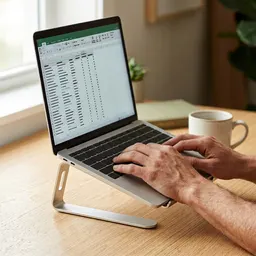 Amazon Basics Adjustable Laptop Stand
Raise your screen to eye level while you tidy long lists.
-
 Logitech Lift Vertical Ergonomic Mouse
Easier on your wrist through long spreadsheet sessions.
-
 BenQ ScreenBar Monitor Light Bar
Lights your desk, not your screen, for late-night cleanups.
Helps keep the tools free. ✨
Images are for illustration only. As an Amazon Associate I earn from qualifying purchases.


