Online Voice Recorder — Free, No Sign-Up
This free online voice recorder captures audio straight from your microphone, right in your browser. Tap one big button to start, tap again to stop, then play it back and download it. There is no sign-up, no time limit, and no ads — and because it runs entirely on your device, nothing is ever uploaded. It's a simple, private way to record your voice online for free.
Tap the big button above to record from your microphone, tap again to stop, then play it back and download it. No time limit, and nothing is uploaded.
Need to capture a quick voice memo, a song idea, or a note to self? Record it in two taps.
Use the free Voice Recorder →How to Record Your Voice Online for Free
The whole point of a simple voice recorder online is that there is nothing to learn. The flow is just three steps:
- Tap Record — press the large microphone button. The first time, your browser asks for microphone permission; tap Allow.
- Speak, then tap Stop — a live timer and a pulsing ring show it's recording. Tap the button again when you're done.
- Play back and download — listen to the recording in the player, then tap Download to save the audio file to your device. Tap Record another to start fresh.
That's it — an easy voice recorder online with no account and no clutter. There is no length cap, so you can record anything from a five-second memo to a long interview.
Works on Any Device — PC, Mac, iPhone, Android
This is an online voice recorder for PC, Mac, and phone alike. It runs in any modern browser — Chrome, Edge, Firefox, and Safari — on Windows 10 and 11, macOS, Linux, iPhone, and Android. There's nothing to download or install. Because it's an installable web app, you can also add it to your home screen or desktop from the browser menu and launch it like a native app.
Download as WAV or WebM — No Conversion Needed
By default the recorder saves in the compact format your browser records natively — WebM on Chrome and Firefox, or MP4/M4A on Safari. If you'd rather have an uncompressed, lossless file, open Settings before recording and choose WAV under "Save as". The WAV is built on your device, so there's no upload and no separate conversion step. If your computer has more than one microphone, Settings also lets you pick which one to record from.
Simple Voice Recorder: No Account, No Ads, No Time Limit
Many web recorders make you sign up, cap your recording length, or wrap the page in ads. This one doesn't. It's a voice recorder online, free with no sign up — record as long as you like, as many times as you like. Your audio stays on your device the entire time, which makes it a genuinely private place to capture personal notes, voice memos, and dictation.
Frequently Asked Questions
Is this online voice recorder really free?
Yes — completely free, with no sign-up, no account, and no time limit on how long you can record. There are no ads and no watermark. Because the recorder runs entirely in your browser, there is nothing to buy and no premium tier gating the features.
How do I use an online voice recorder?
Tap the large Record button and allow microphone access when your browser asks. Speak, then tap the button again to stop. Your recording appears in a player so you can listen back, and a Download button saves it to your device. That's the whole flow — no setup and no account.
Can I use this voice recorder on my PC or Windows 10?
Yes. It works in any modern browser on Windows 10 and 11, Mac, and Linux — Chrome, Edge, Firefox, and Safari are all supported. There is nothing to install: open the page, allow the microphone, and record. You can also install it as an app from your browser's menu for one-tap access.
Can I download my recording as a WAV file?
Yes. Open Settings before you record and choose WAV under Save as. The recorder will hand you an uncompressed, lossless WAV file — ideal if you plan to edit the audio later. The WAV is created on your device, so nothing is uploaded to convert it.
What format does the recording download in — MP3, WebM, or WAV?
By default the recorder saves in the compressed format your browser records natively — WebM on Chrome and Firefox, or MP4/M4A on Safari. If you prefer an uncompressed file, switch the format to WAV in Settings. The tool does not export MP3, but WebM and WAV both play on virtually every device and editor.
Is my voice recording private? Does anything get uploaded?
Your recording never leaves your device. The capture, playback, and download all happen inside your browser, and no audio is sent to a server. Once the page has loaded it is a private way to record personal or sensitive notes.
Can I use this as a voice memo recorder online?
Absolutely. It works perfectly for quick voice memos, voice notes, dictation, song ideas, or interview clips. Record as many separate memos as you like — tap Record another after each one — and download each as its own audio file. There is no length cap and no account needed.
Related tools

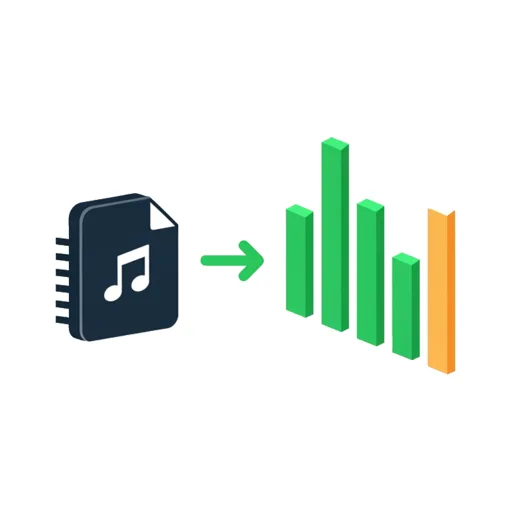

Audio Spectrum Analyzer
See live frequency peaks and notes, mic or file
How Audio Spectrum Analyzer works