Online Oscilloscope — Free Waveform Viewer
This free online oscilloscope draws the real-time waveform of any sound straight in your browser. Use your microphone or drop in an audio file (MP3, WAV, M4A, OGG, or FLAC) and watch the time-domain trace move at 60 frames a second. There is no download, no account, and nothing uploaded — it runs entirely on your device, on phone, tablet, or computer. Stretch the time scale, magnify quiet sounds with amplitude zoom, and freeze the display to inspect a single cycle.
Tap Use microphone or drop an audio file to start the trace. Drag the time scale slider to stretch or compress the waveform, amplitude zoom to magnify quiet sounds, and Freeze to hold a frame still for a closer look.
Ready to see your sound? Open the oscilloscope and choose your microphone or a file.
Use the free Online Oscilloscope →How to Use the Online Oscilloscope
Because this web audio oscilloscope works in any modern browser, there is nothing to install. The flow is just three steps:
- Open the tool — go to capsuletools.app/audio-oscilloscope/ and choose an input.
- Choose an input — tap Use microphone, or drop in an audio file.
- Pick microphone or file — tap Use microphone and allow access, or drop an audio file onto the box.
- Read and shape the trace — the waveform moves left to right in time. Use the time scale and amplitude zoom sliders, and tap Freeze to inspect a frame.
Like a virtual oscilloscope online free, it shows the true shape of the signal in real time — no cables, no extra software, no sign-up.
Microphone Input — Real-Time Waveform from Your Device
Tap Use microphone and allow access when your browser asks, and your device becomes the probe. Whistle, sing, play an instrument, or hold the phone near a speaker and the live trace reacts instantly. This is an online oscilloscope with sound from real input — effectively a soundcard oscilloscope online that uses your built-in microphone as the oscilloscope online mic input. Nothing is recorded or uploaded; the audio is read only to draw the wave.
Audio File Input — Visualize MP3, WAV, FLAC, and More
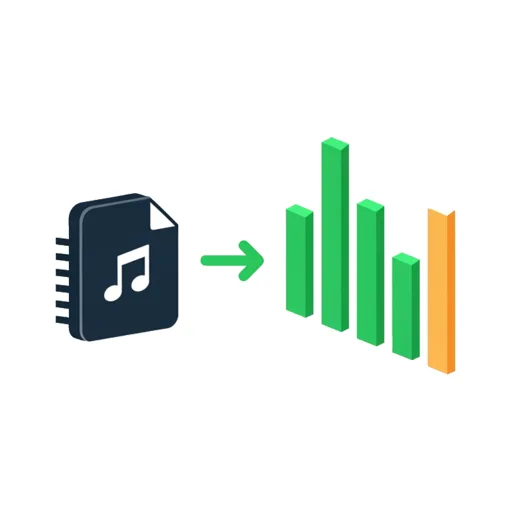
Prefer to inspect a recording? Drop an audio file onto the box to use it as an audio waveform viewer online. The file is decoded in your browser and played back while the waveform is drawn, so you both hear and see it. Supported formats include MP3, WAV, M4A, AAC, OGG, and FLAC — whatever your browser can play. The file never leaves your device.
Time Scale and Amplitude Zoom Controls
Two sliders shape the view. Time scale sets how wide a slice of the signal spans the screen: a short window stretches the wave out so you can study individual cycles, while a wide window compresses more of the sound into view. Amplitude zoom magnifies the vertical axis from 1× up to 10×, making quiet sounds visible without changing the audio itself. Together they turn a sound wave visualizer online free into a precise inspection tool.
Freeze and Inspect a Waveform Frame
Tap Freeze to pause the display on the current frame. The trace holds still so you can examine the exact shape of a wave — handy for comparing the smooth curve of a sine tone against the harsh edges of a square or sawtooth. As an oscilloscope visualizer online free, freezing lets you study a signal without needing a heavy digital audio workstation. Tap again to return to the live view.
Works on iPhone, Android, Mac, and PC — No Download
The oscilloscope is an installable web app, so it runs in Safari, Chrome, Firefox, and Edge on any device. Add it to your home screen and it launches full-screen like a native app. Note that this is a time-domain viewer — it shows the raw waveform, not a frequency breakdown, so it is distinct from an audio spectrum visualizer online free. For seeing the real shape of a sound, the waveform is what you want.
Frequently Asked Questions
Is there an oscilloscope app that works online?
Yes. This is a web audio oscilloscope that runs entirely in your browser — no app to install from a store and no download. Open the page, tap Use Microphone or drop in an audio file, and the waveform appears in real time. Because it is an installable web app you can also add it to your home screen so it launches like a native oscilloscope app.
How do I use an oscilloscope for audio?
An audio oscilloscope plots the sound signal over time, so you see the actual shape of the wave. Feed it sound from your microphone or an audio file, then read the trace left to right as time and up and down as loudness. Use the time scale control to stretch or compress the horizontal axis and the amplitude zoom to magnify quiet sounds. Freeze the display to study a single cycle of the waveform.
What is an audio visualizer?
An audio visualizer turns sound into a moving picture. This one is a time-domain visualizer — it draws the raw waveform, the up-and-down pressure of the sound as it happens, which is exactly what a hardware oscilloscope shows. That is different from a frequency-domain or audio spectrum visualizer, which splits sound into pitch bands. For inspecting the true shape of a signal, the waveform view is the right tool.
How do I get a free audio visualizer?
You are already on one. This is a free online oscilloscope and audio waveform viewer with no account, no sign-up, and no payment. It runs in any modern browser on phone, tablet, or computer. Nothing is recorded or uploaded — the microphone and any file you choose are read only to draw the waveform on your own device.
Can I use my microphone as an oscilloscope online?
Yes — that is the main mode. Tap Use Microphone and allow access when the browser asks, and your device's microphone becomes the oscilloscope input. Whistle, sing, play an instrument, or hold the phone near a speaker and the live waveform reacts instantly. It works as a soundcard oscilloscope online without any cables or extra software; the microphone is the probe.
What is a virtual oscilloscope?
A virtual oscilloscope is a software version of the lab instrument, running on a computer or phone instead of a dedicated box. This online oscilloscope simulator uses the browser's Web Audio API to read sound and draw the trace, giving you the core feature of a real scope — a live time-domain waveform — for free, with adjustable time and amplitude scales and a freeze button, all without buying hardware.
Use the free Online Oscilloscope →
Related tools
Audio Spectrum Analyzer
See live frequency peaks and notes, mic or file
How Audio Spectrum Analyzer works