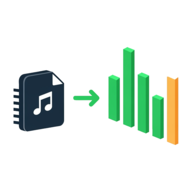
Convert MP3 to WAV Online Free
MP3 to WAV Converter is a free online converter that lets you convert MP3 to WAV right in your browser — choose your MP3 file and an uncompressed WAV downloads in seconds. There is no upload, no account, and no watermark: your audio is decoded and converted on your own device, so it stays completely private. It is an MP3 to WAV converter, free online, with optional sample rate and bit depth settings — or just keep the defaults.
Choose your MP3 above and an uncompressed WAV downloads in seconds. Open Advanced settings for sample rate and bit depth, or just keep the defaults — it all runs on your device.
Need an uncompressed WAV for editing, CD burning, or your DAW? Convert one in a few seconds.
Use the free MP3 to WAV Converter →How to convert MP3 to WAV — no upload, no account
Most online converters upload your MP3 to their servers, process it there, and hand back a download link — which puts your audio on someone else's computer and makes you wait for the round trip. This tool is different: it uses your browser's built-in Web Audio engine to decode the MP3 locally, then writes the WAV file on your device. Nothing is ever uploaded.
- Choose your MP3 — tap the dropzone to pick a file, or drag one in.
- Wait a moment — the tool decodes the audio and generates the WAV right on your device.
- Download — the WAV saves automatically, and a Download WAV button is there if you need it again.
Because it all runs on your machine, it works the same on a phone, tablet, or desktop. You can install it to your home screen and use it like an app — a fast, private way to convert MP3 to WAV online free.
Why convert MP3 to WAV?
MP3 is a compressed format built for small file sizes, while WAV is uncompressed and lossless. Audio editors, DAWs like Audacity and Adobe Audition, and CD-burning software all prefer WAV because it can be cut, mixed, and re-saved over and over without picking up further compression artefacts. Converting an MP3 to WAV gives you a clean, editable master to work from.
WAV is also the safe choice for compatibility: it plays in virtually every program and on
hardware — samplers, mixing desks, older media players — that may not handle MP3. If a tool or
device is asking for a .wav file, this converter gets you one without installing
anything.
Does converting MP3 to WAV improve quality?
It is worth being honest here: converting MP3 to WAV cannot improve the audio quality. When the file was first made into an MP3, the compression permanently discarded detail your ear is least likely to notice, and that detail is gone for good — no conversion can bring it back.
What the WAV does give you is a lossless container: it holds exactly what is in the MP3, and it will not degrade any further when you edit and re-save it. So while the WAV will not sound better than the MP3, it is the right format whenever you need to process the audio without stacking up more quality loss.
Free, unlimited MP3 to WAV conversion — no file size limit
There is no upload limit here because nothing is uploaded — the only real ceiling is your own device's memory. You can convert as many files as you like with no daily cap, no sign-up, and no watermark — so you can convert MP3 to WAV online free, unlimited, for everyday use.
One thing to expect: because WAV is uncompressed, the output is several times larger than the original MP3 — that is normal and unavoidable for a lossless format. Very long recordings at high settings can get big enough to strain a browser; if a file is too large to build in one piece, the tool tells you and suggests a shorter clip or lighter settings.
Advanced settings: sample rate and bit depth explained
Open Advanced settings under the dropzone to control the output. Leave everything on the defaults and you get a faithful CD-quality copy; adjust them only if a specific project needs it.
- Sample rate — how many audio samples per second. Auto keeps the MP3's own rate; or force 44.1 kHz (CD standard), 48 kHz (video standard), or 96 kHz (high-resolution).
- Bit depth — how finely each sample is measured. 16-bit is CD quality and the default; 24-bit gives more headroom for editing; 32-bit float is the studio choice for mixing.
Working with other media too? You can trim a video clip or turn a video into a GIF with the other free, private tools on Capsule Tools — all in your browser, with no upload.
Frequently asked questions
Does converting MP3 to WAV lose quality?
No — converting MP3 to WAV does not lose any further quality. The tool decodes the MP3 and writes every sample into an uncompressed WAV, so nothing extra is thrown away. Keep in mind that the MP3 had already discarded some detail when it was first compressed; the WAV preserves exactly what is in the MP3, no more and no less.
How do I convert MP3 to WAV for free?
Open the tool, drop in your MP3, and the WAV downloads automatically — there is no sign-up, no account, and no watermark. It runs entirely in your browser, so it works the same on a phone, tablet, or desktop. Because nothing is uploaded, the conversion is instant and your audio stays on your device.
Is there a file size limit?
There is no upload limit, because nothing is uploaded — the only ceiling is your device's memory. WAV is uncompressed, so the output is much larger than the MP3. Very long recordings, like a multi-hour podcast at 96 kHz and 24-bit, can exceed what a browser can hold in one file; if that happens the tool tells you and suggests a shorter clip, a lower sample rate, or 16-bit depth.
Does converting MP3 to WAV improve quality?
No. Converting MP3 to WAV cannot add back detail that the MP3 compression removed — that information is gone for good. What WAV gives you is a lossless, uncompressed copy that will not degrade further with re-saving or editing, which is why audio editors and CD burning software prefer it. The sound is identical to the MP3, just in a higher-fidelity container.
Can I convert MP3 to WAV without signing up?
Yes. There is no account, no email, and no sign-up of any kind. The converter runs in your browser, so it works even on a locked-down work computer or a borrowed device. You can install it to your home screen and use it like an app.
Can I batch convert MP3 to WAV online?
This tool converts one MP3 at a time, which keeps it fast and simple — drop a file, get a WAV, repeat. Because each conversion happens instantly on your own device with no upload wait, working through several files in a row takes only a few seconds each. There is no daily cap or limit on how many you can do.
Use the free MP3 to WAV Converter →
Related tools
Audio Spectrum Analyzer
See live frequency peaks and notes, mic or file
How Audio Spectrum Analyzer works
Convert to WebM
Convert video or audio to WebM free — no upload, no account.
How Convert to WebM works