Tip Calculator: Split the Bill, Custom Tip and Round Up
This tip calculator shows the tip and the total for the bill you type, at 15%, 18%, 20% and 25% at the same time. Add a custom percentage, split the bill between people, or round the total up to a whole amount. Everything updates on every keystroke, it is free with no sign-up, and the sums are done in your browser.
How to use the tip calculator
- Bill amount - type the total before tip, such as the subtotal or the total on the receipt. The currency symbol of your region shows beside the field.
- Tip percentage - read the tip and the total for 15%, 18%, 20% and 25%, or select a row to choose it. 20% is selected to start with. The big figure under the field is Total with tip, with the tip shown in the Tip pill.
- Custom % - select this row to open Your tip percentage and type a whole number from 0 to 100.
- Split the bill - turn it on to share the total. Set Number of people with the minus and plus buttons or type it in (1 to 99).
- Round up total - turn it on to raise the tip a little so the total is a whole amount.
Leave the bill empty and every figure shows zero. The largest bill it handles is 99,999.99; if you type more, it uses that amount and says so.
Tip at 15%, 18%, 20% and 25%: an example
For a bill of 84.50, each row of the table shows its own tip and total:
| Tip percentage | Tip | Total |
|---|---|---|
| 15% | 12.68 | 97.18 |
| 18% | 15.21 | 99.71 |
| 20% | 16.90 | 101.40 |
| 25% | 21.13 | 105.63 |
The rule behind every row is the same: tip = bill x percentage, and total = bill + tip. Amounts are rounded to the nearest cent, which is why 15% of 84.50 (12.675) shows as 12.68.
Tipping customs vary: use Custom % for your own
The four preset rows are the percentages many people use at restaurants in the United States. Customs differ from country to country and from place to place, so the preset rows are only a starting point. Select Custom % and type the percentage you want, whether that is 5, 10 or 12, and the tip and total update straight away. The calculator also works for other services where you tip, such as a taxi, a haircut or a delivery, because it only needs an amount and a percentage.
Split the bill with tip between people
Turn on Split the bill and the result changes to Each person pays, with Tip and Total shown beneath it. Each person's share is the total with tip divided by the number of people. With the 20% total of 101.40 split 3 ways, everyone pays 33.80.
When the total does not divide evenly, each share is rounded to the nearest cent and the calculator tells you: Each share is rounded, so the shares can differ slightly from the total. For 100.00 split 3 ways that is 33.33 each, one cent short of the total, so someone may want to cover the odd cent. This splits the whole bill equally. To split by what each person ordered, with tax and tip shared in proportion, use the Fair Bill Splitter.
Round up the total to a whole amount
Paying a round figure is easier, especially in cash. With Round up total on, the total goes up to the next whole unit and the tip becomes the new total minus the bill. It applies to every row and to the split. For 84.50 at 18% the total of 99.71 becomes 100.00 and the tip rises from 15.21 to 15.50. Because the tip changed, the result shows Tip after rounding up: 18.3%, so you can see the percentage you actually left. In a currency with no minor unit, such as the yen, the total is already a whole number, so there is nothing to round.
Tip before or after tax
There is no tax box, because the calculator tips whatever you enter as the Bill amount (the hint under it reads "The total before tip"). Type the subtotal before tax to work out the tip on that, or the total printed on the receipt to include tax in it. To share the tax as well as the tip fairly between people who ordered different things, try the Proportional Bill Splitter, and for dividing rent or shared costs by income, the Fair Share Calculator.
Frequently Asked Questions
How do I calculate a 20% tip?
Multiply the bill by 0.20. On an 84.50 bill that is 16.90, so the total is 101.40. In this calculator 20% is selected by default: type the Bill amount and the tip and total appear straight away, next to the 15%, 18% and 25% rows.
How do I calculate a tip in my head?
Find 10% by moving the decimal point one place left, then double it for 20% or add half of it to 10% for 15%. For 84.50, 10% is 8.45, so 20% is 16.90 and 15% is about 12.68. The calculator shows the exact figures for 15%, 18%, 20% and 25% at once.
Should I tip before or after tax?
People do both, and this calculator does not decide for you: it works from whatever you type in Bill amount. Enter the subtotal before tax to tip on that, or the full total on the receipt to tip on the amount including tax.
How do I split a bill with tip?
Turn on Split the bill and set Number of people. The result then shows Each person pays, which is the total with tip divided by the number of people. For 101.40 split 3 ways that is 33.80 each.
Is there a tip calculator that rounds up to a whole amount?
Yes. Turn on Round up total and the tip is raised a little so the total becomes a whole amount. For 84.50 at 18% the total of 99.71 becomes 100.00 and the tip becomes 15.50. The result shows the tip you ended up with as Tip after rounding up.
Does the tip calculator work for currencies other than dollars?
Yes. The currency symbol and number of decimals follow your region, so it shows whole yen with no decimals in Japan. The sums are the same in any currency. The 15, 18, 20 and 25% rows are common in US restaurants, and the Custom % row lets you enter any other percentage.
Is the tip calculator free, and is my bill sent anywhere?
It is free with no sign-up. The sums are done in your browser as you type, and the amount you enter is not uploaded or stored.
Recommended
-
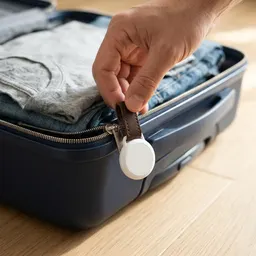 Apple AirTag (2nd Gen)
Tip paid, bill split: slip one in your wallet or bag so it never gets left at the table.
-
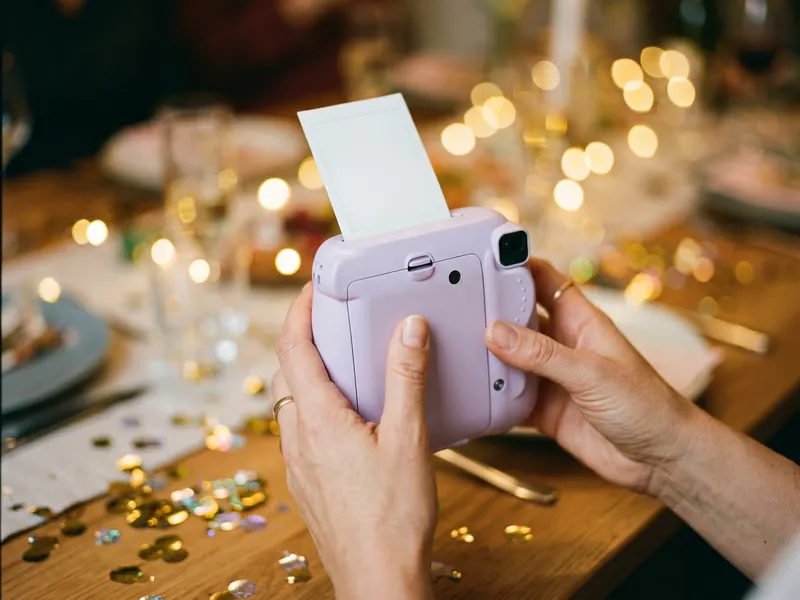 Fujifilm Instax Mini 12
The photo of the whole table, after everyone has paid up, comes out of the camera in a minute.
-
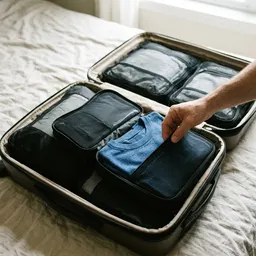 Eagle Creek Pack-It Reveal Cube (Medium)
Eating out on a trip to the US? Pack your souvenirs and receipts in a cube of their own.
Helps keep the tools free. ✨
Images are for illustration only. As an Amazon Associate I earn from qualifying purchases.


