Replace Pages in PDF Online Free
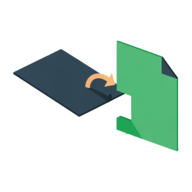
Replace PDF Pages lets you replace pages in a PDF online free — swap a single page or a whole range for the pages of another PDF, then download the result. No file is ever uploaded. Both documents are read and rebuilt right inside your browser, so you can replace a page in a PDF with another PDF without Adobe Acrobat, without an account, and without installing anything.
Choose your PDF above, type the page numbers to replace (like 4 or 5-7),
pick the replacement PDF, and tap Replace Pages. The new file is built in your browser and
downloads automatically — nothing is uploaded.
Ready to swap some pages? It takes a few taps.
Use the free Replace PDF Pages →How to Replace Pages in a PDF
The tool walks through three quick steps. The page swap runs entirely on your device, so even large or sensitive PDFs never leave your browser.
- Open capsuletools.app/replace-pdf-pages/ and choose the PDF you want to edit.
- Type the pages to replace — a single number like
4, a range like5-7, or a mix like1, 3, 5-8. - Choose the replacement PDF — its pages will go in where the old ones were removed.
- Tap Replace Pages. The updated PDF is built in your browser and downloads automatically as
[filename]-updated.pdf.
Replace Multiple Pages or a Page Range
You are not limited to one page. To replace multiple pages in a PDF at once, list them in the page field using commas and hyphens:
4— replace just page 4.5-7— replace the range from page 5 through 7.1, 3, 5-8— replace pages 1 and 3, plus the range 5 through 8.
Every listed page is removed and the replacement PDF's pages are inserted at the position of the first page you removed, keeping the rest of the document in order.
Replace a Page in a PDF Without Adobe Acrobat
You don't need Adobe Acrobat — or any paid desktop app — to edit a PDF. This is a way to replace pages in a PDF without Adobe: the whole swap happens client-side in JavaScript, so there is no software to install and no subscription. It works the same in any modern browser on Mac, Windows, iPhone, and Android, and because the file never uploads, you can replace PDF pages without Acrobat even on documents you'd never want to send to a website.
Replace a PDF Page With Another PDF
The replacement source must itself be a PDF. To replace one page in a PDF online, put the new content into its own PDF first, then load it as the replacement. Its pages are copied in exactly as they are — text, fonts, and vectors stay intact, because pages are copied rather than re-rasterized.
If the replacement pages are a different size than the original, open Advanced settings and turn on Scale to fit. That stretches or shrinks each inserted page to match the size of the page you're replacing, so the finished document stays visually consistent.
Frequently Asked Questions
How do I replace a page in a PDF for free?
Open Replace PDF Pages, choose your PDF, type the page number you want to replace (for example
4), then pick the replacement PDF. The tool removes that page and inserts the
replacement PDF's pages in its place, and the new file downloads automatically — no account, no
upload, completely free.
Can I replace pages in a PDF without Adobe?
Yes. Replace PDF Pages runs entirely in your browser, so you can replace pages in a PDF without Adobe Acrobat or any desktop software. There is nothing to install and no subscription — the page swap happens on your own device using JavaScript, and your files are never uploaded.
How do you replace multiple pages in a PDF at once?
Type a range or a list in the page field. Use a hyphen for a range (5-7), commas for
separate pages (1, 3, 6), or combine them (1, 3, 5-8). All of the listed
pages are removed together and the replacement PDF's pages are inserted at the position of the
first removed page.
How to replace a page in a PDF on Mac?
On a Mac, open Replace PDF Pages in Safari, Chrome, or any browser — no Preview workaround or paid app needed. Choose your PDF, enter the page to replace, pick the replacement PDF, and download the result. Because it is browser-based, the same steps work identically on Windows, iPhone, and Android.
Is it safe to replace pages in a PDF online?
With Replace PDF Pages it is, because nothing is uploaded. Both PDFs are read and edited inside your browser tab, and the finished file is generated on your device — neither document is ever sent to a server. That makes it safe to use even for sensitive contracts, statements, or scanned paperwork.
Use the free Replace PDF Pages →