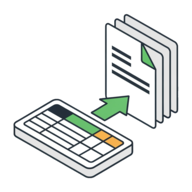
PDF Mail Merge Online Free
PDF Batch Compiler runs a PDF mail merge online free — it fills a fillable PDF form from your Excel or CSV data in bulk and gives you one finished PDF per row. There is no software to install and nothing is uploaded: your form and your spreadsheet are read and combined right inside your browser, so you can auto-fill PDF forms from Excel without Adobe Acrobat, Word, plugins, or an account. If you have ever looked up how to mail merge a PDF, this is the no-install answer.
Choose a fillable PDF and a CSV above. The tool auto-matches your column headers to the form's fields, then generates one filled PDF per row. Pick a single merged PDF or a ZIP of separate files, tap Compile, and the result downloads automatically — nothing is uploaded.
Got a fillable PDF and a spreadsheet? Merge them in a few taps.
Use the free PDF Batch Compiler →How It Works
The tool turns a single fillable PDF into a whole batch of filled documents, one for each row of your data. Everything runs on your device, so even sensitive invoices, contracts, or tender paperwork never leave your browser.
- Open capsuletools.app/pdf-batch-compiler/ and choose your fillable PDF form.
- Choose your CSV file — if your data is in Excel, use File → Save As → CSV first. The first row must hold your column headers.
- Check the match summary (for example,
Matched 5 of 7 fields) to confirm your columns line up with the form's fields. - Pick your output — a single merged PDF or a ZIP archive — and whether to flatten the result.
- Tap Compile. One filled PDF is built per row and the finished file downloads automatically.
Fill PDF Forms from Excel or CSV Data
Most people keep their records in Excel, so the quickest way to fill a PDF form from Excel data is to save the sheet as a CSV and drop it in alongside your form. Each row becomes its own copy of the PDF, with every matched field populated from that row's cells. Empty cells are simply left blank, so a partially-filled spreadsheet still works — the tool never stops on a missing value.
Because it reads the universal CSV format, the same workflow lets you automatically fill a PDF form from Excel data exported from any spreadsheet app — Google Sheets, Numbers, LibreOffice, or a database export. There is no template language to learn and no macro to write. In short, it lets you populate PDF forms with data from spreadsheets in any format — no plugins, no cloud service, and no copy of Excel required on the machine.
Auto-Match: No Manual Field Mapping
You never have to wire columns to fields by hand. The tool reads the field names baked into your
fillable PDF and compares them to your CSV column headers, ignoring capitalisation, spaces, and
punctuation. A column called First Name fills a field named first_name
or FirstName automatically. After both files load you get a plain-language summary — like
Matched 5 of 7 fields — plus a note of any columns that were ignored or fields left blank,
so there are no surprises before you compile.
Output Options: Merged PDF or ZIP Archive
When you auto fill multiple PDF forms from Excel at once, you choose how the results are packaged:
- Single merged PDF — every filled form stacked into one continuous document. Best for printing a whole batch or keeping it in a single archive file.
- ZIP archive — one separate PDF per row, bundled together. Best when each document needs to be emailed, signed, or filed on its own.
Leave Flatten the forms on (the default) to lock the filled values so they display correctly everywhere and can't be edited — recommended for a merged PDF. Turn it off in ZIP mode if you want each PDF to stay an editable, interactive form.
Why Use a Browser-Based PDF Mail Merge Tool?
A traditional PDF mail merge usually means Adobe Acrobat Pro, a Word-and-Excel macro chain, or a paid plugin. This tool needs none of that. Because the whole merge runs client-side in JavaScript, you can do a PDF mail merge without installing software, on any operating system, in any modern browser — Windows, Mac, ChromeOS, even a phone or tablet. It is the fastest way to do a mail merge from Excel to a fillable PDF without a Word dependency, and since everything runs locally, it's safe for confidential paperwork you'd never send to an online converter.
Frequently Asked Questions
How do I fill a PDF form from Excel data?
Save your Excel spreadsheet as a CSV file (File → Save As → CSV), making sure the first row holds your column headers. Open PDF Batch Compiler, choose your fillable PDF form and the CSV, and the tool matches each column to a PDF form field automatically. Tap Compile and it generates one filled PDF per row, which downloads instantly — nothing is uploaded.
Can I auto-fill multiple PDF forms from Excel at once?
Yes — that is exactly what a PDF mail merge does. Each row of your spreadsheet becomes its own filled copy of the PDF form, so a 50-row sheet produces 50 filled forms in one pass. You can download them as one merged PDF or as a ZIP archive of separate files.
What is the difference between a merged PDF and a ZIP archive output?
A merged PDF stacks every filled form into one continuous document — ideal for printing or archiving the whole batch in a single file. A ZIP archive keeps each row as its own separate PDF, which is better when you need to email or file documents individually. You pick the format with a toggle before compiling.
Do I need to install software to do a PDF mail merge?
No. PDF Batch Compiler runs entirely in your browser, so there is no Adobe Acrobat, Microsoft Word, plugin, or VBA macro to install. The whole mail merge happens on your own device in JavaScript, which also means your forms and data are never uploaded to a server.
How do I match my Excel column headers to PDF form fields?
Matching is automatic. The tool compares each CSV column header to the names of the fillable fields in
your PDF, ignoring capitalisation, spaces, and punctuation — so a column called "First Name" fills a
field named first_name or FirstName. After loading both files you see a
summary like Matched 5 of 7 fields so you can confirm before compiling.
Can I batch fill a PDF form from Excel for free?
Yes. PDF Batch Compiler is completely free with no account, no sign-up, and no watermark on the output. There is no row limit imposed by a paywall — the only practical limit is your device's memory, since everything is processed locally in the browser.
Use the free PDF Batch Compiler →