Phone Number Validator: Check a Number's Format, Country and Type
This phone number validator tells you whether a number is valid for its country, which country and calling code it belongs to, and whether it is a mobile, landline, toll-free or other type of number. It then gives you the number in E.164, international and national format, ready to copy. It checks how the number is built, not whether the line is connected, and it runs in your browser, so the number is not uploaded or saved.
How to check a phone number
- Type or paste the number into Phone number. The result updates as you type.
- If the number starts with + and a country code, leave Country if there is no + code alone. If it does not, choose its country there. The list shows each country with its calling code, such as United States (+1), and it starts on the country the page guesses you are in.
- Read the badge: Valid or Invalid.
- On a valid number, press Copy next to E.164, International or National.
- Press Clear to start with another number.
For example, +1 650 253 0000 is valid in the United States with calling code +1, and it is listed as Landline or mobile.
What the result tells you
A valid number shows these facts, followed by a note on what was checked:
- Country: the country or territory whose number range the number falls in. Some calling codes are shared, so the answer can be a smaller territory than you expect: a +44 mobile number can come back as Guernsey, and a +1 number as Canada.
- Calling code: the country code after the +, such as +44 or +81.
- Number type: see the table below.
- Extension: shown only if you typed one.
| Number type | What it means |
|---|---|
| Mobile | A cell phone number |
| Landline | A fixed-line number tied to a place |
| Landline or mobile | The country uses one range for both, as the United States and Canada do, so the two cannot be told apart |
| Toll-free | Free for the caller, such as 800 numbers |
| Premium rate | The caller is charged more than for a normal call |
| Shared cost | The call cost is split between caller and receiver |
| VoIP | A number in a range the country sets aside for internet calling |
| Personal number | A number the owner can forward to any phone |
| Pager | A pager number |
| Universal access number | A single number a business can publish that is routed to its offices |
| Voicemail | A number that goes straight to a voicemail service |
| Unknown | The number is accepted but its range does not say what kind of line it is |
The type is read from the range the number belongs to. It is not a live check, so a number that was moved to another provider still shows the type of its original range.
Why a phone number shows as Invalid
An invalid number gets a plain reason under the badge:
| Reason shown | What to try |
|---|---|
| This number has no country code | Start the number with + and the country code, or choose a country in the drop-down |
| The country code after the + is not one that exists | Check the digits straight after the + |
| This number is too short for its country | A digit is missing |
| This number is too long for its country | Remove the extra digit |
| The digit count does not match any number length this country uses | The count falls between lengths the country does use, so a digit is missing or extra |
| The length is right, but no phone numbers are issued in this range | The leading digits are not assigned in that country, as with a 555 area code in the United States. Recheck the first digits, or turn off Strict check to test the length alone |
| This does not look like a phone number | There are no usable digits, for example only letters |
Strict check on or off
Strict check is on by default. Then a number is Valid only if it falls in a range the country has really issued. Untick it and only the digit count has to fit the country, which is a much looser test.
- Leave it on to check a real number or a form entry.
- Switch it off for a number from a range that is very new, or to see whether a rejected number is wrong only in its leading digits and not its length.
- With it off, a number the country has never issued can show Valid, and then Country may read Not matched to one country and Number type Unknown. The note on the card says which test was used.
E.164, international and national format
The three rows show the same number written three ways:
| Format | Example | Use it for |
|---|---|---|
| E.164 | +16502530000 | Databases, forms and messaging or calling services, which usually expect a plus sign, the country code and digits only |
| International | +1 650 253 0000 | Text meant for readers in other countries |
| National | (650) 253-0000 | Text meant for readers in the same country, written the way people there write it |
The same number in a UK style would be +442079460958, +44 20 7946 0958 and 020 7946 0958.
Typing the number in any of these forms gives the same result, as long as the country is known.
Extensions, letters and symbols
Add an extension after the number as ext 12, x12 or #12. It shows under Extension, and the International and National rows carry it as ext. 12. The E.164 row leaves it out.
Spaces, hyphens, dots, slashes and brackets are treated as separators. Letters and other symbols that cannot be part of a number are ignored, and a note lists what was ignored. Vanity letters are not converted: 1-800-FLOWERS is read as 1-800 and fails as too short.
What a phone number validator cannot tell you
Valid does not mean active. This tool checks structure and number ranges only. It does not call the number, look up the carrier or owner, or check that the line is connected, so it cannot tell you whether a number is real in the sense of someone answering it.
Frequently asked questions
Is there a free phone number validator online?
Yes, this one. There is no account and no sign-up. It checks a number against the numbering rules of its country and runs in your browser, so the number you type is not sent or saved anywhere.
How do I check if a phone number is valid?
Type or paste it into Phone number and read the badge, which turns Valid or Invalid as you type. If the number starts with + and a country code, that is all you need. If it does not, choose its country under Country if there is no + code. Valid means the digit count fits the country and the number falls in a range the country has issued.
How do I validate a phone number with a country code?
Start the number with + and the country code, for example +44 20 7946 0958 or +81 90 1234 5678. Spaces, hyphens, dots and brackets are fine. When a number starts with +, the country code in it decides the country and the drop-down is not needed. A code that does not exist, such as +999, is reported as such.
Can this tell me if a phone number is real or active?
No. It checks the structure of the number and the ranges its country uses, nothing more. It does not call the number, ask a carrier, look up who owns it or check that it is connected. Valid means the number is written correctly and could exist, not that anyone answers it.
How can I check if a phone number is mobile or landline?
Enter the number and read Number type. It shows Mobile, Landline, Toll-free and the other types the tool recognises. In countries that do not separate the two, such as the United States and Canada, it shows Landline or mobile. The type comes from the range the number belongs to, not from a live check, so a number moved to another provider keeps the type of its original range.
How do I convert a phone number to E.164 format?
Enter the number and press Copy on the E.164 row. E.164 is the international standard form: a plus sign, the country code and the number, with no spaces or punctuation and at most 15 digits, such as +16502530000. It is the form most apps and forms expect. An extension is not part of E.164, so that row leaves it out.
Can it validate international phone numbers?
Yes. Any number that starts with + and a country code is checked against that country, and the drop-down lists the countries and regions the data covers. Codes that belong to no single country, such as +800 for international toll-free numbers, are accepted too and show International, not tied to one country as the country.
Does it use a regex to validate phone numbers?
No. A regex can only check the shape of a number, not whether a country issues numbers in that range. This tool uses libphonenumber-js, a JavaScript port of Google's libphonenumber, with its full number data. It has no API and checks one number at a time.
What does Strict check do?
Strict check is on by default, and then a number must fall in a range the country has really issued. Switch it off and only the digit count has to fit the country. With it off, a number nobody has been issued can still show Valid, and its Country may read Not matched to one country and its Number type Unknown, because there is no range to read them from.
Why does my phone number say Invalid?
The card under the badge gives the reason: no country code, a country code that does not exist, too short, too long, a digit count the country does not use, or the right length in a range with no numbers issued. The most common cause is a number typed without + while Country if there is no + code is set to None. A very new range can also be missing from the data; turning off Strict check shows whether at least the digit count fits.
How do I enter a phone number with an extension?
Type the extension after the number, for example +1 650 253 0000 ext 12, x12 or #12. It appears as Extension on the card, and the International and National rows show it as ext. 12. The E.164 row leaves it out, because E.164 has no extension.
What happens to letters like 1-800-FLOWERS?
Letters and symbols that cannot be part of a number are ignored, and a note lists them. Vanity letters are not turned into digits, so 1-800-FLOWERS is read as 1-800 and rejected as too short. Type the digits instead.
Is the phone number I type sent anywhere?
No. The check runs entirely on your device. Nothing is uploaded or saved, and nothing is looked up, so the number is never shared with a lookup service.
Recommended
-
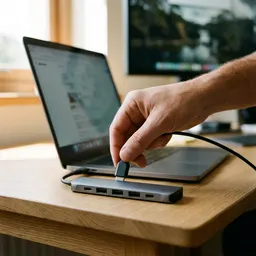 Anker 7-in-1 USB-C Hub
One hub for the laptop where you clean contact lists and test your signup form.
-
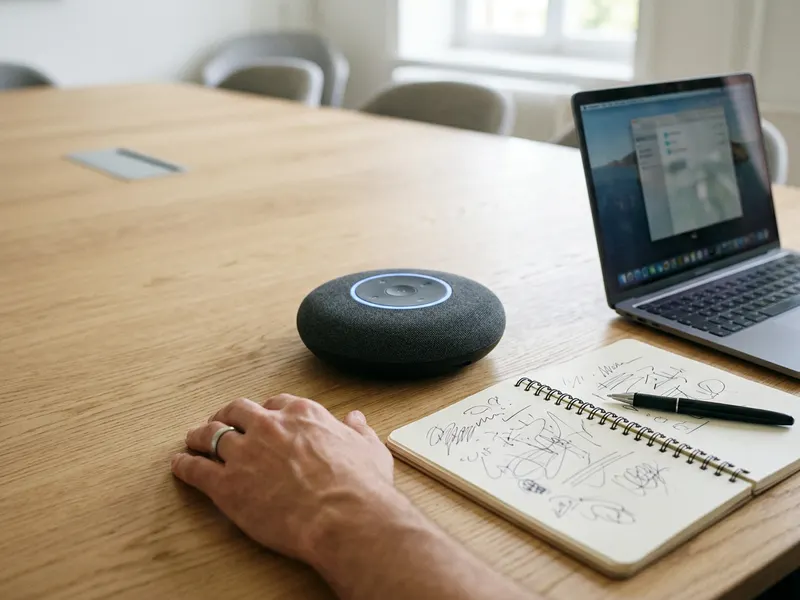 Anker PowerConf Speakerphone (6 mics)
Once the list is checked, put the calls on speaker and talk to the numbers that passed.
-
 Rain Design mStand Laptop Stand
Raise the screen so a long list of numbers and E.164 values is easier to read.
Helps keep the tools free. ✨
Images are for illustration only. As an Amazon Associate I earn from qualifying purchases.


