Markdown to PDF Online Free
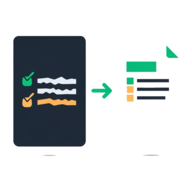
Markdown to PDF lets you convert Markdown to PDF online free, right in your browser — paste your text, pick a theme, and download a clean, paginated document. There is no upload, no account, and no software to install: your Markdown is parsed and rendered on your own device, so nothing is sent to a server. It is the quickest way to save Markdown as PDF without Pandoc, a VS Code extension, or a command line.
Paste or type your Markdown above, switch to Preview to check the formatting, pick a theme, and tap Download PDF — it all happens on your device, nothing is uploaded.
Got some Markdown to turn into a clean PDF? It takes a few seconds.
Use the free Markdown to PDF tool →How to Convert Markdown to PDF Online
This is a free md to pdf converter that runs entirely in your browser — there is nothing to download and nothing to configure. To convert Markdown to PDF online, follow three short steps:
- Open capsuletools.app/markdown-to-pdf/ and paste or type your Markdown into the editor
- Switch to the Preview tab to see exactly how the formatted document will look, and use Options to pick a theme or turn on page numbers
- Tap Download PDF to save the formatted document as
document.pdf
Your text is held in memory only while the tab is open. Because the whole conversion happens locally, even a long document turns into a PDF in a moment, and you can keep editing and re-downloading until it looks right.
Choose a Document Theme
The same Markdown can look very different depending on the theme you choose. Each one is a hand-tuned set of fonts, spacing, and heading styles, and the Preview tab shows the exact result before you download:
- Modern — a clean sans-serif look with accent-coloured headings. Best for reports, documentation, and project briefs.
- Academic — a classic serif face with justified body text and a centred title. Best for essays, papers, and formal write-ups.
- Minimalist — monochrome, airy, and understated. Best for notes, memos, and anything where the words should carry the page.
You can also toggle page numbers, which are printed at the foot of every page — handy for longer documents that will be printed or shared.
Supported Markdown Syntax
The tool understands standard GitHub-Flavored Markdown, so most of what you write will render the way you expect:
- Headings (
#through######), bold, and italic - Ordered and unordered lists, including nested items
- Links, blockquotes, and horizontal rules
- Inline
codeand fenced code blocks - Tables and images
Advanced extensions such as Mermaid diagrams and LaTeX math are not rendered — those need a heavier toolchain. For everyday documents, READMEs, and notes, the supported syntax covers everything you need to convert an .md file to PDF with proper formatting and page breaks that keep headings attached to their text.
Is My Text Private?
Yes. Unlike most online markdown to pdf converters, this tool never uploads your text. The Markdown is parsed and the PDF is built entirely inside your browser tab, so your content — whether it is a private journal entry, an unreleased document, or work notes — stays on your device. There is no account to create and no email to hand over, which also means it works the same on a locked-down work laptop or a borrowed computer.
Markdown to PDF on iPhone and Android
You can convert Markdown to PDF on iPhone or Android without installing an app
or a shortcut. On an iPhone, open the tool in Safari, paste your Markdown or the contents of an
.md file, choose a theme, and tap Download PDF — the file saves to your Files app.
On Android, do the same in Chrome and the PDF lands in your downloads.
Because everything runs in the browser, the mobile experience is identical to the desktop one, and nothing leaves your phone. If you later need to combine the result with other documents, you can merge it with other PDFs or add a signature using the other free tools on Capsule Tools.
Frequently Asked Questions
How do I convert Markdown to PDF online for free?
Open the tool, paste or type your Markdown into the editor, switch to Preview to check the formatting, pick a theme, and tap Download PDF. The PDF is built in your browser and saved straight to your device. There is no account, no sign-up, and no software to install — it is free to use as often as you like.
Can I convert Markdown to PDF on iPhone?
Yes. Open the tool in Safari on your iPhone, paste your Markdown or .md text, choose a theme, and tap Download PDF — the file saves to your Files app. There is no iOS app or shortcut to install, and nothing is uploaded, so it works the same as on a desktop.
Can I convert Markdown to PDF on Android?
Yes. Open the tool in Chrome on your Android phone, paste your Markdown, pick a theme, and tap Download PDF to save the document to your downloads. No app is required because the whole conversion runs inside the browser tab.
How do I convert an .md file to PDF?
Open your .md file in any text editor, copy everything, and paste it into the Markdown to PDF editor — then pick a theme and download. The tool reads the Markdown text itself, so it does not matter whether it came from a .md file, a note app, or a README.
Does this tool work without Pandoc or any software installed?
Yes. Most Markdown-to-PDF guides tell you to install Pandoc, LaTeX, or a VS Code extension. This tool needs none of that — it runs entirely in your browser, so you just paste your text and download a PDF. There is nothing to set up on Windows, Mac, or Linux.
How do I save Markdown as PDF?
Paste your Markdown into the editor, choose Modern, Academic, or Minimalist as the look, optionally turn on page numbers, and tap Download PDF. The formatted document is saved as document.pdf with proper page breaks, so headings stay attached to their text.
What Markdown syntax is supported?
The tool supports standard GitHub-Flavored Markdown: headings, bold and italic, ordered and unordered lists, links, blockquotes, inline code and fenced code blocks, tables, horizontal rules, and images. Advanced extensions such as Mermaid diagrams and math formulas are not rendered.
Use the free Markdown to PDF tool →
Related tools
Plain Text Converter
Strip fonts, colours, bold & links from copied text
How Plain Text Converter works