Decibel Meter Online
Use your device's microphone as a quick sound level meter. You get a live dB number, a running average and the loudest peak, so you can see how loud a room, a neighbour, a practice session or a baby's room really is. It is an estimate, not a calibrated instrument, and no audio is recorded.
How to Measure Noise Level with Your Microphone
- Tap Start measuring and allow the microphone when the browser asks.
- Put the device where you want to measure and keep your hand off the microphone.
- Read the big live number. It updates about ten times a second, with the unit (dBA or dBZ) beside it.
- Check the zone label and the Sound level gauge bar, which runs from 20 to 130 dB.
- Watch Average for the session and Peak for the loudest moment so far.
What the Zones Mean
| Label | Level |
|---|---|
| Comfortable | Under 70 dB |
| Loud | 70 to 85 dB |
| Very loud | 85 dB and above |
The labels describe the reading on screen. They are not health advice.
dBA or dBZ: Which Weighting to Use
Tap the gear, which is labelled with the current unit, to open Measurement settings. Under Weighting choose one of two options.
- A-weighted (dBA) mimics how the human ear hears: low rumble counts less, mid and high tones count more. Use it for everyday questions such as how loud a room feels.
- Unweighted (dBZ) counts every frequency equally, so bass and rumble show at full strength. Use it to see low-frequency noise from a speaker, a fan or a neighbour's subwoofer.
Average and Peak
Peak is the highest level since you started. Average is an energy average over the session (Leq), so loud moments weigh more than quiet ones. Tap Reset peak and average in the settings to start a fresh run without stopping the meter.
Measure Home, Office, Studio or Neighbour Noise
- Home or office: leave the device on a desk for a few minutes and compare Average with the zone labels.
- Neighbours: place it near the wall or window where you hear the noise and watch Peak. Treat it as a rough log, not proof.
- Studio or practice room: switch to dBZ to see bass, and compare the same room before and after you change something.
- Baby room: use dBA and check the Average while the room is at its usual level.
Browsers cannot calibrate a microphone. The reading uses a fixed estimate for a typical phone microphone, so it is a guide, not a certified measurement. Different devices read differently, so compare readings from the same device.
If the Microphone Is Blocked
The Microphone access is blocked screen lists the steps. On iPhone or iPad Safari, tap aA in the address bar, then Website Settings, Microphone, Allow. On Android or desktop Chrome, tap the lock icon by the address bar, open Permissions and allow Microphone, then reload. On Firefox, tap the lock icon and clear the blocked Microphone permission, then reload. Then tap Try again.
Decibel Meter FAQ
Is this decibel meter online accurate?
Treat it as a guide. Browsers cannot calibrate a microphone, so the reading uses a fixed estimate for a typical phone mic. It is good for comparing one moment with another on the same device, not for a certified measurement.
How do I measure how loud my room is?
Tap Start measuring, allow the microphone and leave the phone or laptop where you want to measure. Read the live number and the zone label, then check Average for the whole session and Peak for the loudest moment.
What is the difference between dBA and dBZ?
dBA is A-weighted: it mimics how the human ear hears, so low rumble counts less and mid and high tones count more. dBZ is unweighted and counts every frequency equally, so bass shows at full strength. Switch between them in Measurement settings under Weighting.
How many decibels is a quiet room?
A quiet room usually reads in the 30s or 40s dBA on a real meter, but a phone microphone has its own noise floor, so it may read higher. Compare the reading with the zone label: Comfortable is under 70 dB, Loud is 70 to 85 dB and Very loud is 85 dB and above.
Can I use it to measure neighbour or office noise?
Yes, as a rough record of when it gets loud. Place the device near where you hear the noise and watch Peak and Average. Because it is not calibrated, the numbers are an estimate and not proof for a complaint or dispute.
Does the Average show the average over time?
Yes. Average is an energy average over the session, which is the Leq figure sound meters report, so a few loud moments count more than a plain average of the numbers would. Tap Reset peak and average in Measurement settings to start again.
Why is the microphone blocked?
Your browser denied microphone access. The Microphone access is blocked screen explains how to turn it back on in Safari, Chrome and Firefox. After that, tap Try again or reload the page.
Is my audio recorded or uploaded?
No. The microphone is only used to measure volume, and no audio is recorded, uploaded or stored. Echo cancellation, noise suppression and automatic gain are switched off for the measurement so they do not distort the level.
Recommended
-
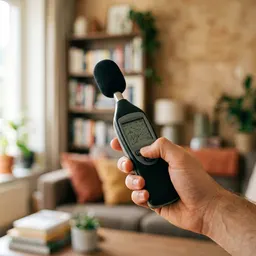 TopTes Handheld Decibel Meter
Double-check your phone's reading with a dedicated meter.
-
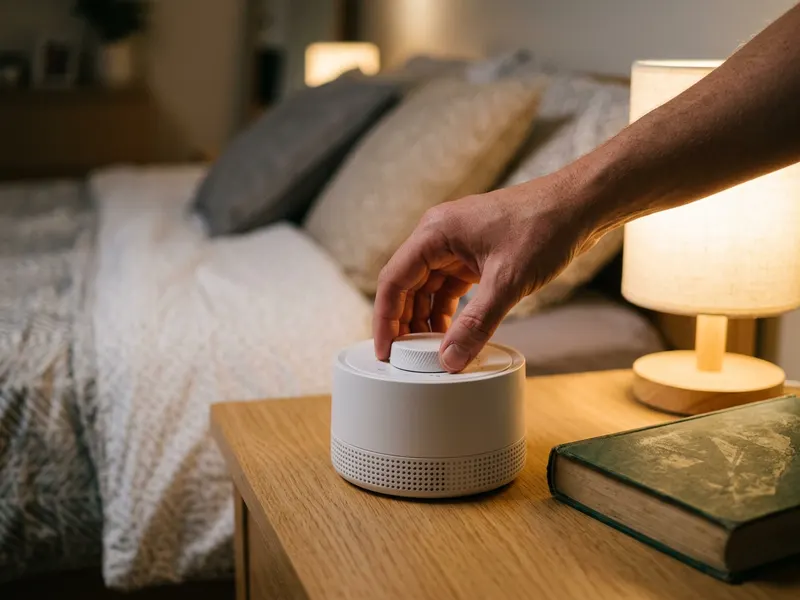 SNOOZ White Noise Machine
A steady fan sound to mask noise in a nursery or bedroom.
-
 Eargasm High Fidelity Earplugs
Cut loud rooms and rehearsals without muffling the sound.
Helps keep the tools free. ✨
Images are for illustration only. As an Amazon Associate I earn from qualifying purchases.


