Compress Video to 8MB for Discord or Email
This free video compressor shrinks a video to the file size you need. Pick Discord (8 MB), Email (25 MB) or type your own size, and you get an MP4 that fits. It runs entirely in your browser, so there is no upload, no account and no watermark: the video never leaves your phone or computer.
How to compress a video to 8MB for Discord
- Tap Select a video and choose your clip. It can be an MP4, MOV, WebM, MKV or AVI file.
- Tap Discord for a file of about 8 MB.
- Tap Compress video and watch the progress bar. When it finishes, tap Save video.
The result screen shows the original size next to the compressed size and tells you whether the file came in under your target. If it landed a little over, the tool has already tried a second, lower-bitrate pass, so the next thing to try is a lower resolution in Advanced settings.
Compress a video for email (25MB and Gmail)
Choose Email to aim for 25 MB, the usual attachment ceiling for Gmail and many other providers. A video that is slightly over the limit usually shrinks to fit with little visible change. If you are attaching more than one file, choose Custom and a smaller number so the whole message stays under the limit.
Compress video to a specific size
Choose Custom and type the size in megabytes. The tool divides that size by the length of your video to find how much data each second of video and sound can use, then encodes to that budget. It aims slightly under the number you enter, because a file that lands a little over is the one that gets rejected. A very small size for a long video will look soft, and the tool tells you when the size is tight.
Compress a video online free, with no watermark and no upload
Most online compressors send your video to their servers and make you wait for it to come back. This one runs FFmpeg compiled to WebAssembly in your browser, so the compression happens on your own device. There is no sign-up, no queue and no watermark. The finished video is a standard MP4 with H.264 video and AAC sound, which plays on phones, computers and in chat apps. The encoder is single-threaded, so a long or high-resolution video takes a while, and a phone is slower than a computer.
What the Advanced settings change (resolution and frame rate)
The default relies on your target size alone. Open Advanced settings to go further:
- Resolution — Original, 1080p, 720p or 480p. A lower resolution lets the video keep more detail at a small file size, and it encodes faster. It only ever scales down, never up.
- Frame rate — Original, 30, 24 or 15 fps. A lower frame rate saves data, but never raises the frame rate above your original.
Which video files this accepts (MP4, MOV, WebM, MKV, AVI)
The compressor reads MP4, MOV, WebM, MKV, AVI and M4V video, including clips recorded on an iPhone or Android phone, and always saves an MP4. Files up to 2 GB are accepted, although very large files take a long time. The tool needs a browser that can play the video itself, so a rare codec that your browser cannot open is rejected with a message rather than producing a broken file.
Frequently asked questions
How do I compress a video for Discord?
Choose the Discord preset, which aims for 8 MB, then tap Compress video and save the MP4. Discord changes its free upload limit from time to time and it is 10 MB at the time of writing, so 8 MB leaves room under either figure. If your clip is long, pick a lower resolution in Advanced settings so the picture stays sharp at that size.
How do I compress a video to 8MB?
Pick the Discord preset, or choose Custom and type 8. The tool works out how many kilobits per second the video can use for its length, encodes to that, and shows the final size next to the original. If the first pass lands a little over, it encodes once more at a lower bitrate so the file fits.
How do I compress a video for email?
Choose the Email preset, which aims for 25 MB, then compress and save the MP4. That is the usual attachment ceiling, but your provider may count the message overhead too, so pick Custom and a smaller number if an email keeps bouncing.
Can I compress a video online free with no watermark?
Yes. It is free, there is no account and no watermark, and you can compress as many videos as you like. Nothing is uploaded, because the compression runs inside your browser.
How do I compress a video to a specific size?
Choose Custom and type the size in megabytes, for example 15. The smallest size you can enter is 0.5 MB. The tool aims a little under the number you give so the saved file is not larger than your limit.
Can I compress a video without uploading it?
Yes. Your video never leaves your device. The compression runs locally in your browser with WebAssembly, and the finished MP4 is saved straight to you. There is no server involved, so no one else can see the file.
Can I compress a video without losing quality?
Not at a fixed target size. Making a video smaller always costs some detail, and the tighter the size for the length, the softer the picture gets. The tool picks the best bitrate that fits, and if it warns the size is tight for your clip, a lower resolution usually looks better than a blocky full-size picture.
How do I compress a MOV file online?
Select the MOV file, choose a target size and compress. MOV clips from an iPhone are large, and the result is a smaller MP4 that plays almost everywhere, so it also fixes the MOV format problem on Windows and Android.
What is the Discord video size limit without Nitro?
The free limit has changed over the years and is 10 MB at the time of writing, with larger limits for Nitro. Check Discord's current figure before you rely on it. The Discord preset here aims for 8 MB, which sits under it.
What is the Gmail email attachment size limit?
Gmail allows attachments up to 25 MB in total per message. Anything larger is sent as a Google Drive link instead. The Email preset aims for 25 MB, so pick Custom and a smaller number if you are attaching more than one file.
Why is compressing a long video slow?
The encoder runs inside your browser as single-threaded WebAssembly, so it cannot use all of your processor the way a desktop program does. A short clip is quick; a long or high-resolution one takes much longer and a phone is slower than a computer. Keep the tab open, and lower the resolution or frame rate in Advanced settings to speed things up.
Recommended
-
 SanDisk Ultra Flair 128GB USB Drive
Hand the compressed clip over when sharing online won't work
-
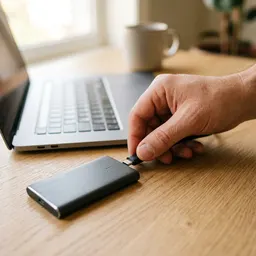 Samsung T7 Portable SSD 1TB
Keep the full-size originals safe while you send the small copy
-
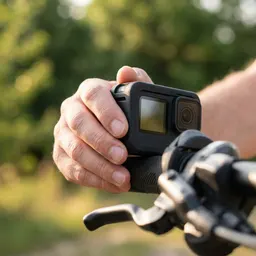 GoPro HERO12 Black
Shoot the next clip, then shrink it to fit any upload limit
Helps keep the tools free. ✨
Images are for illustration only. As an Amazon Associate I earn from qualifying purchases.