Scanned PDF to Text Online Free
Scanned PDF to Text converts a scanned PDF to text online free using OCR that runs inside your
own browser. A scan is a picture of a page — there is no text in it to select or copy until something reads the
letters off the image. This tool does exactly that, page by page, and hands you plain text you can copy or save
as a .txt file. Your document is never uploaded. No account, no sign-up, no page limit.
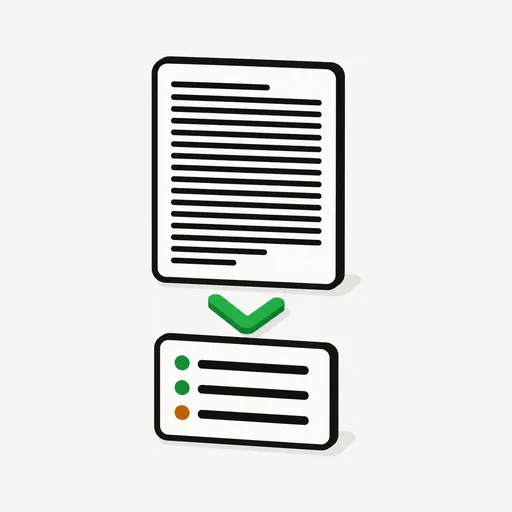
Choose a scanned PDF above and the tool reads each page with OCR, then gives you the plain text to copy or download as a .txt file. Everything runs on your device — the PDF is never uploaded.
Got a scan you can't copy from? Read it in one tap.
Use the free Scanned PDF to Text →How to Turn a Scanned PDF into Text
Every PDF is one of two things. A digital PDF — exported from Word, a browser, or a design app — carries a hidden text layer, so you can select words with your cursor. A scanned PDF is a photograph of paper: a flatbed scanner, a copier, or a phone camera captured the page as an image and wrapped it in a PDF. Nothing underneath is text, which is why highlighting does nothing and copy-paste comes back empty.
Turning that image back into words is called OCR, optical character recognition. Here is how to extract text from a scanned PDF with this tool:
- Open capsuletools.app/scanned-pdf-to-text/
- Tap the drop zone (on a phone) or drag your PDF onto it (on a desktop)
- Watch the progress bar — it reports Reading page 2 of 3… as it works through the document
- When it finishes, the recognized text appears in a box. Tap Copy text, or Download .txt to save it
Multi-page documents are read one page at a time and the output marks each page break, so a long scan stays readable. OCR is genuinely slow work — expect a few seconds per page, and a little longer on the very first run while the recognition engine loads. That wait happens once.
Free, Private OCR — Nothing Uploaded, No Sign-Up
Most free ways to OCR a PDF online work by sending your file to a server, converting it there, and handing back a download. That is a reasonable trade for a restaurant menu. It is a worse trade for the documents people actually scan: bank statements, payslips, contracts, tax paperwork, medical letters, passports.
This tool inverts that. It runs Tesseract, the long-standing open-source OCR engine, compiled to WebAssembly so it executes inside your browser tab. Your PDF is opened by your own device, rendered by your own device, and read by your own device. Nothing is transmitted, because there is nowhere for it to go. There is also no sign-up, no email wall, and no page cap — the things a pdf OCR online free no sign up search is usually really asking for.
If your PDF already has a text layer, you don't need OCR at all — the PDF Text Extractor will pull it out instantly and more accurately, because it reads the real characters instead of guessing at pixels. Try that first; it will tell you if the file is a scan.
Works in 29 Languages
English is the default. If your document is in another language, open Advanced on the upload screen and pick it before you start — OCR accuracy depends heavily on getting this right, because the engine uses the language to decide which shapes are plausible letters and which words are plausible words.
- English
- Spanish
- French
- German
- Italian
- Portuguese
- Dutch
- Polish
- Czech
- Hungarian
- Romanian
- Danish
- Swedish
- Norwegian
- Finnish
- Greek
- Russian
- Ukrainian
- Turkish
- Arabic
- Hebrew
- Hindi
- Thai
- Vietnamese
- Indonesian
- Chinese (Simplified)
- Chinese (Traditional)
- Japanese
- Korean
Each language model downloads once, the first time you use it, and is then cached by your browser.
Getting the Best Results from a Scan
OCR quality is decided almost entirely by the scan, not by the software. A crisp 300 DPI flatbed scan of printed text will come back near-perfect. A dim, angled phone photo of a creased receipt will not, and the tool will warn you when its own confidence is low. A few things help:
- Scan at 300 DPI or higher. Below about 200 DPI, letters blur into each other and accuracy falls off sharply
- Keep the page straight. Rotation and skew hurt more than you would expect
- Prefer even lighting and good contrast — dark text on a light page
- Set the right language under Advanced if the document isn't English
- Printed text beats handwriting. Tesseract is trained on print; cursive handwriting is largely beyond it
Always read the output against the original before you rely on it. OCR is a very good guess, not a transcript —
a stray 0 for O in an account number is the kind of mistake it makes.
Frequently Asked Questions
How do I extract text from a scanned PDF?
You need OCR — optical character recognition — because a scanned PDF holds pictures of pages, not text. Open Scanned PDF to Text at capsuletools.app/scanned-pdf-to-text/, choose your PDF,Choose your PDF above and the tool renders each page and reads the letters off it. When it finishes you get plain text you can copy to the clipboard or download as a .txt file. The OCR engine runs inside your browser, so the document is never uploaded.
Can I OCR a PDF online for free without signing up?
Yes. This is a free OCR tool with no account and no sign-up — there is no email wall, no trial, and no page-limit paywall. Because the recognition happens on your own device rather than on a server, there is nothing to charge for and no reason to make you register first.
Can you copy text from a scanned PDF?
Not directly. Selecting and copying only works when a PDF carries a text layer, and a scan is just an image of the page — there is nothing underneath to select. Running OCR is what creates that text. Once this tool has read the scan, the recognized words appear in a text box with a Copy button, and from there they paste anywhere.
What's the best free OCR tool for a scanned PDF?
The honest answer depends on the document. Most free scanned PDF OCR services upload your file to their servers, which matters if the scan is a bank statement, a contract, or a medical record. This tool runs Tesseract, the long-standing open-source OCR engine, compiled to WebAssembly so it executes in your browser tab — the PDF never leaves your device. That privacy, plus no sign-up and no page limit, is what it is built for.
Is there a free scanned PDF to text converter?
This one. It is a free scanned PDF to text converter that works entirely in the browser: pick a PDF, watch it read the pages, then copy the text or download it as .txt. It handles multi-page documents, marks each page break in the output, and supports 29 document languages.
Use the free Scanned PDF to Text →