Remove DC Offset from Audio Files, Samples and Wavetables
DC offset is a constant shift that leaves a waveform sitting above or below zero instead of centered on it. This page measures it in each channel, removes the DC offset and gives you back a corrected WAV, so the clicks the shift causes at cut and loop points go away and your headroom is not wasted on a shift nobody can hear. It works on samples, recordings and synth wavetables. The file is decoded and fixed in your browser and your audio is never uploaded.
How to remove DC offset from an audio file
- Drop a file onto Choose an audio file or drop it here, or select it to browse. WAV, MP3, FLAC and OGG work, up to 50 MB.
- Wait while it shows Decoding audio… and then Measuring and removing the offset….
- Look at the waveform. The original is drawn faintly (Before) and the corrected version in the accent colour (After) around a zero line.
- Read Detected DC offset. Each channel is listed separately as Channel 1, Channel 2 and so on, and a mono file shows one large value.
- Check Remaining after the fix. With the default method it reads about 0.00%.
- Press Download Fixed WAV. The file is named
<original name>-dc-fixed.wavand the line under the button gives its sample rate, bit depth, channel count and size. - Select Fix another file to start again with a different sample.
If a file has practically no offset, a note says the fixed copy is almost identical to the original. That is a useful answer too: the file did not need fixing.
Mean subtraction or high-pass filter?
Open Advanced and choose a Correction method. Changing it re-processes the file you already loaded, so there is no need to drop it again.
| Method | What it does | Best for |
|---|---|---|
| Mean subtraction (default) | Subtracts the exact average of each channel from every sample. Nothing else about the sound changes, and there is no filter phase shift. | Samples, one-shots, loops and single-cycle wavetables, where the offset is the same all the way through. |
| High-pass filter | A gentle first-order DC blocker with a 10 Hz corner. It blocks everything below 10 Hz, so it also follows an offset that drifts. It slightly affects the lowest frequencies. | Long recordings where the offset wanders, such as a field recording or a podcast take. |
How to read the DC offset numbers
The offset is the average level of the channel, shown two ways: as a percentage of full scale and in dBFS. A positive value means the waveform sits above the zero line and a negative one means it sits below it.
| Shown as | Meaning |
|---|---|
| +12.00% | The average is 12% of full scale above zero. In dBFS that is about -18.4 dBFS. |
| -0.50% | The average is half a percent of full scale below zero. Small, but still worth clearing in a sample that will be looped or layered. |
| About 0.00% | Nothing to fix. Below roughly half a 16-bit step (about 0.0015%) the tool treats a file as having no offset. |
The dBFS figure is the size of the shift against full scale, not a loudness. A shift of -18.4 dBFS is large for a DC value and is plenty to cause audible clicks at a cut point.
What you get back
The result is always a WAV, so nothing is re-encoded with a lossy codec. It normally keeps the file's sample rate and keeps its channel count, and each channel is corrected on its own, so stereo and multi-channel files work. The summary line under the download button shows the actual output.
| Source file | Fixed WAV |
|---|---|
| WAV, 8, 16, 24 or 32-bit integer | Same bit depth |
| WAV, 32-bit float | 32-bit float |
| FLAC | Its own bit depth |
| MP3 or OGG | 16-bit |
In the integer formats a sample that would pass full scale is held there instead of wrapping around into a loud click. A 32-bit float WAV can go past full scale without wrapping.
Why remove DC offset
- Clicks and pops. A shifted sample jumps between zero and the offset where it is cut, looped or joined to another clip.
- Lost headroom. The shift pushes the peaks on one side closer to full scale, so the file clips or gets limited sooner than it should.
- Dynamics processing. Compressors and limiters react to the shifted peaks, not just to the sound.
- Wavetables and single-cycle loops. A cycle that is not centered on zero puts a constant offset into the oscillator, which can thump at note on and off, eat headroom and make filters and distortion react to it.
- Cheap interfaces and sound cards. Some leave a constant shift in every recording, so a whole session of takes can need the same fix.
What this tool does not do
- It only fixes a constant offset, or with the filter a slowly drifting one. It does not remove hum, rumble or other noise.
- It does not normalize or change the volume. To measure loudness and true peak, use the LUFS Meter.
- The fixed WAV holds audio only. Tags, markers, loop points and other metadata in the original are not copied.
- Mean subtraction uses one average for the whole file, so a wavetable file made of many frames gets one shared correction, not one per frame.
- Very long MP3 or OGG files can run past the memory a browser tab allows. Try a shorter section or a WAV.
- To see what the waveform or the low end looks like afterwards, try the Audio Oscilloscope or the Audio Spectrum Analyzer.
- To turn an MP3 into a WAV without any correction, use MP3 to WAV, and to fold stereo into one channel use Audio to Mono.
Frequently asked questions
What is DC offset in audio?
DC offset is when the average level of a waveform sits above or below zero instead of on it. The whole signal is shifted up or down by a constant amount, which you cannot hear directly but which uses up headroom and can cause clicks. The Detected DC offset readout shows the shift as a percentage of full scale and in dBFS.
What causes DC offset in audio?
Cheap or faulty audio interfaces and sound cards, microphone and preamp circuits, some analog gear and some synthesis or processing steps can all leave a constant shift in the signal. Cutting or looping a recording at a point that is not at zero does not create an offset, but it makes an existing one audible as a click.
Why does DC offset cause clicks?
A sample that is shifted away from zero starts and ends away from zero. When it is cut, looped or joined to another clip, the level jumps between zero and the shifted value in a single sample, and that jump is heard as a click or pop. Removing the offset takes away that part of the jump. A cut made in the middle of a loud waveform can still click, because the sound itself is not at zero there.
Does a high-pass filter remove DC offset?
Yes. A high-pass filter blocks everything below its corner frequency, and a constant offset is at 0 Hz, so it is blocked. The High-pass filter option here is a gentle first-order DC blocker with a 10 Hz corner, so it also follows an offset that drifts over a long recording. It slightly affects the lowest frequencies and adds a little phase shift down there, which is why Mean subtraction is the default for samples.
How do I remove DC offset from a wavetable?
Drop the single-cycle WAV onto the page and keep the default Mean subtraction method. It subtracts the exact average of each channel from every sample, so the cycle ends up centered on zero with the same length and shape. Note that one average is used for the whole file, and the new WAV holds audio only, so markers, loop points and other metadata chunks from the original are not carried over.
How do I remove DC offset in Audacity or a DAW?
Audacity has a Remove DC offset effect under Effect, Volume and Compression, and the Normalize effect has a checkbox for it too. In Logic Pro the Audio File Editor has Remove DC Offset in its Functions menu. This page is the quick route when you just have a file and do not want to open a DAW or install a plugin.
Does removing DC offset change the sound or the loudness?
Mean subtraction only shifts the waveform, so the tone is unchanged, and it does not normalize or change the gain. Peaks on one side move closer to zero and peaks on the other side move further from it, so the peak level can change slightly. In 8, 16, 24 and 32-bit integer WAVs, a sample the shift would push past full scale is held at full scale instead of wrapping around. A 32-bit float WAV has no such limit, so it can go past full scale without wrapping.
What format and bit depth is the fixed file?
The output is always a WAV, so nothing is re-encoded lossily. It normally keeps the file's sample rate and keeps its channel count, and the summary line under the download button shows the actual output. A WAV or FLAC source keeps its bit depth, and a 32-bit float WAV stays float. MP3 and OGG files come out as 16-bit.
Is my audio uploaded anywhere?
No. The file is decoded and corrected inside your browser tab and nothing is sent to a server. Files up to 50 MB are accepted, in WAV, MP3, FLAC or OGG.
Recommended
-
 Audio-Technica ATH-M20x Studio Headphones
Check the fixed loop point and cut for clicks on honest, flat headphones.
-
 Samsung T7 Portable SSD (1 TB)
Keep your sample packs and wavetable folders on a fast drive you can plug in anywhere.
-
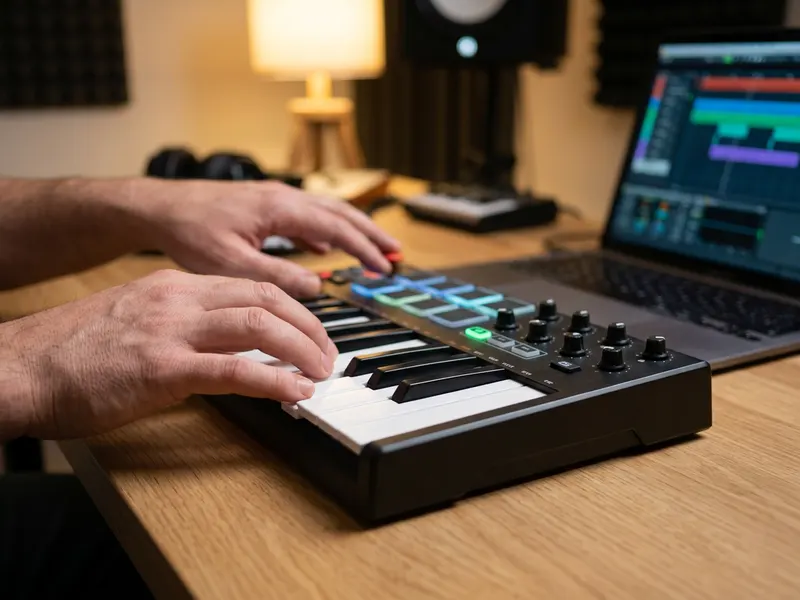 Akai MPK Mini IV MIDI Keyboard
Play the cleaned sample straight from the pads and keys, without opening a DAW.
Helps keep the tools free. ✨
Images are for illustration only. As an Amazon Associate I earn from qualifying purchases.


