JavaScript Deobfuscator Online: Turn Obfuscated Code Into Readable JavaScript
A JavaScript deobfuscator reverses the tricks that make code hard to read. This one unpacks plain string arrays, works out constant expressions,
decodes hex and Unicode escapes and renames _0x-style names, then prints the result with a 2-space indent. It does all of that by reading the code, not running it:
your JavaScript is never executed and never uploaded, and some obfuscation, listed below, is left as it is.
How to deobfuscate JavaScript online
- Paste the code into Obfuscated JavaScript. The box reads Paste obfuscated JavaScript here… until you do. The limit is 5,000,000 characters.
- Select Deobfuscation options to open four checkboxes, all on by default: Unpack string arrays, Evaluate constants, Decode hex and Unicode escapes and Rename hex variables. Untick any pass you do not want.
- Press Deobfuscate. The Deobfuscated code screen shows the result as read-only highlighted code.
- Read the chips above the code. They say what changed, for example 3 array lookups replaced, 5 expressions simplified, 2 literals decoded or 4 variables renamed. If nothing applied, the chip reads Nothing here needed unpacking or simplifying, so the code was only reformatted.
- Press Copy (it becomes Copied) or Download .js to save the code as
deobfuscated.js. - Select Edit code to go back to your input and run it again with different options.
If the text is not valid JavaScript you see This is not valid JavaScript: syntax error at line N, column M. with the real line and column, and nothing is changed.
What each option does
| Option | Before | After |
|---|---|---|
| Unpack string arrays | var a = ['x', 'y']; log(a[1]); or 'x|y'.split('|') |
log("y"); The array is removed once nothing reads it. |
| Evaluate constants | 1 + 2 * 3, 'a' + 'b', !![], !0, obj['key'] |
7, "ab", true, true, obj.key |
| Decode hex and Unicode escapes | '\x68\u0069', 0x1f |
"hi", 31 |
| Rename hex variables | _0x1a2b, _0x3c4d |
var1, func1, arg1, by what the name is declared as |
The passes run in that order, so an array lookup can be unpacked first and then joined with its neighbours by Evaluate constants. Property names, labels and import and export names are never renamed, and a shebang line at the top of a script is kept.
A worked example
This input has a string array, a hex-style name, a quoted property and a sum:
| Input | Result |
|---|---|
var _0x1a2b = ['hello', 'world', '\x68\x69']; function _0x3c(_0x4d) { console['log'](_0x1a2b[0] + ' ' + _0x1a2b[1], _0x4d, _0x1a2b[2]); } _0x3c(1 + 2 * 3); |
function func1(arg1) { console.log("hello world", arg1, "hi"); } func1(7); |
The chips for it read 3 array lookups replaced, 5 expressions simplified, 1 literal decoded and 2 variables renamed. The real output is laid out over several lines with a 2-space indent.
What it can and cannot undo
The tool never runs your code, so it can only undo what is visible in the text. Anything that needs the program to execute first is left alone rather than guessed.
| Handled | Left as it is |
|---|---|
Plain string arrays (var a = ['x', 'y'] and 'x|y'.split('|')) that are only read by a constant index |
An array that is rotated at startup, the obfuscator.io push(shift()) trick |
Constant maths, joined strings, !![] and !0 |
Strings decoded through a lookup function |
| Hex and Unicode escapes, hex numbers | eval or Function strings that hide the real code |
_0x-style names, as seen in obfuscator.io output |
Control-flow flattening and VM-based obfuscation |
| Layout: the code is reprinted with a 2-space indent | Comments (they are removed) and original variable names (they are not in the file) |
This is a reading aid, not a security scanner. It does not check whether code is harmful and it cannot make unknown code safe to run. If a script came from somewhere you do not trust, do not run it because the output looks tidy.
Why a rotated string array stays put
Many obfuscators move the items of a string array around with a short loop before the first read, so list[0] is not the first item you see in the source.
Swapping in the visible items would put the wrong text in your code. The tool therefore unpacks an array only when every use of it is list[3] with a number in range, or list.length.
If the array is passed to a function, pushed to, assigned, or read with an index it cannot work out, that array stays exactly as written.
Minified code and large files
Minified code that is not obfuscated comes back reformatted with a 2-space indent, and the chip says only the layout changed. Short names such as a and b are not renamed, because they are not hex-style and the original names are gone.
Everything runs in a Web Worker, so the page stays responsive on big files. Very long or deeply nested expressions can be too much for the page, and then it says the code is too large or too deeply nested to process here.
To format code that is already readable, or to beautify JSON, HTML and CSS too, use Code Formatter. To shrink stylesheets again use CSS Minifier, and to decode a Base64 string you found inside a script use Base64 Converter.
Frequently asked questions
How do I deobfuscate JavaScript?
Paste the code into Obfuscated JavaScript and press Deobfuscate. The code is parsed into a syntax tree, string arrays are unpacked, constants are worked out, escapes are decoded, _0x names are renamed, and the tree is printed back as indented code. Copy it or press Download .js to save deobfuscated.js.
Is there a JavaScript deobfuscator that works online?
Yes, this page is one. It runs in your browser tab: the code is analysed in a Web Worker and is never uploaded and never executed. It handles plain string arrays, constant expressions, hex and Unicode escapes and _0x-style names. It does not undo every kind of obfuscation, and the list of what stays as it is is on this page.
Can it deobfuscate obfuscator.io code?
Only the parts that need no code to run. Hex and Unicode escapes are decoded, constants are worked out and _0x names are renamed to var1, func1 and arg1. The string array that obfuscator.io rotates at startup with push(shift()), and strings fetched through a decoder function, are left as they are, because undoing them means running the code.
How do I decode hex strings in obfuscated JavaScript?
Keep Decode hex and Unicode escapes ticked under Deobfuscation options. A string such as \x68\u0069 becomes hi, and a hex number such as 0x1f becomes 31. Only escapes in the code itself are decoded; a hex string that the program builds when it runs is not.
Does it unminify JavaScript too?
Yes, the output is always reprinted with a 2-space indent, so minified code becomes readable even when nothing needed unpacking. In that case the result shows Nothing here needed unpacking or simplifying, so the code was only reformatted. Comments in the input are removed. Minified variable names such as a and b cannot be recovered.
Does the tool run my JavaScript?
No. The code is only read and rewritten as text. There is no eval, no Function call and no execution in the page or in the Web Worker, which is why rotated arrays and decoder functions stay as they are. It also means this is not a safety check: the output looks easier to read, but a scanner or malware verdict is a different job.
Why did a string array stay in the output?
The array is only unpacked when every use of it is a constant index such as list[3] or list.length. If the code also rotates it, passes it to a function, pushes to it or reads it with a computed index, the array is left alone entirely, because replacing reads there could give the wrong string.
What does Rename hex variables do?
It gives names like _0x1a2b a readable name: var1 for variables, func1 for functions and arg1 for parameters. Every use is renamed together, no name already in the program is reused, and property names and labels are never touched. It cannot recover the original names, which are not in the file.
How big can the code be, and what if it has an error?
Up to 5,000,000 characters. If the code is not valid JavaScript you see This is not valid JavaScript: syntax error at line N, column M. with the real numbers, and nothing is changed; your text stays in the box so you can fix the spot.
Is my code uploaded anywhere?
No. Parsing, rewriting and printing all happen inside your browser, in a Web Worker, and nothing is sent to a server. The code is never executed either.
Recommended
-
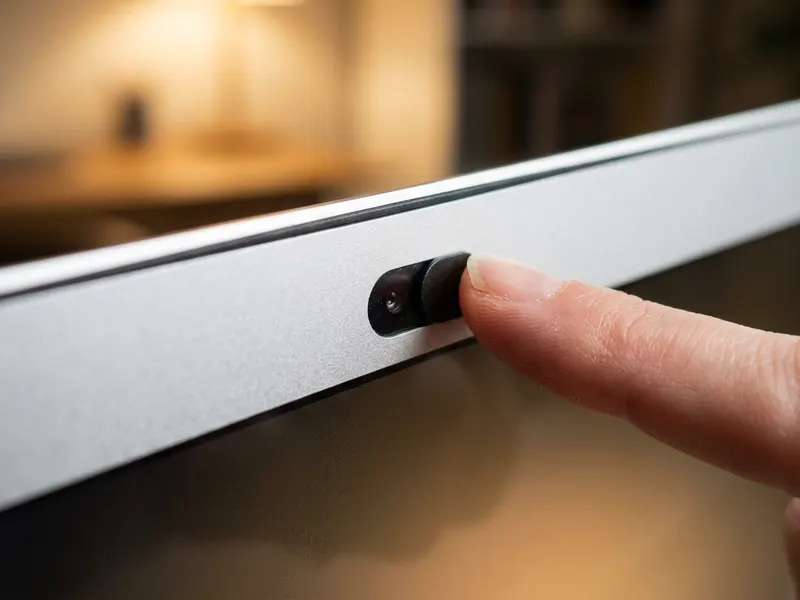 CloudValley Webcam Cover Slide (2 pack)
Slide it shut while you read a script you don't trust and the camera stays private.
-
 YubiKey 5C NFC Security Key
A hardware key for the logins you protect while poking at other people's code.
-
 Kingston IronKey Vault Privacy 50 Encrypted USB
Keep the suspicious samples you save on an encrypted drive, locked with a PIN.
Helps keep the tools free. ✨
Images are for illustration only. As an Amazon Associate I earn from qualifying purchases.


