Convert PNG to JPG Online Free
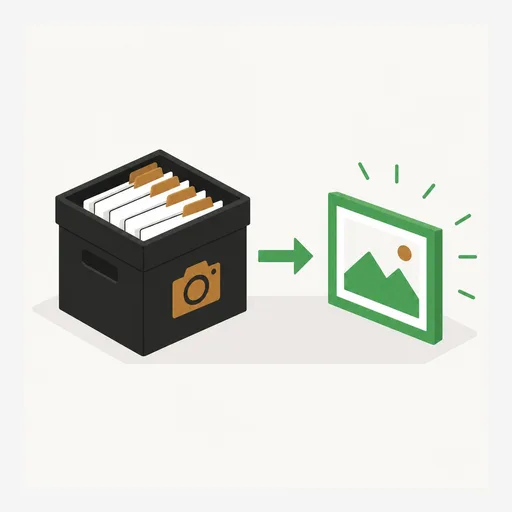
Image Converter lets you convert PNG to JPG online free, right in your browser — and it works the other way too: WebP to PNG, JPG to WebP, or any image to PDF. There is no sign up, no upload, and no watermark: every image is converted on your own device, so your photos stay private. Convert one image or a whole batch and download them all as a ZIP.
Add your images above, pick a target format — JPG, PNG, WebP, or PDF — and tap Convert. One image downloads as a single file; a batch downloads as a ZIP. Every image is converted on your device.
Got a PNG, WebP, or HEIC that needs to be a JPG? Convert it in a few seconds.
Use the free Image Converter →How to Convert Your Images
- Open capsuletools.app/image-converter in any browser.
- Drag in your images, or tap to choose them — JPG, PNG, WebP, GIF, BMP, RAW, and HEIC are all accepted.
- Pick the target format: JPG, PNG, WebP, or PDF.
- For JPG or WebP you can open the Quality panel to fine-tune the size-versus-detail trade-off.
- Tap Convert — your file downloads automatically, or a ZIP if you converted several at once.
The whole thing runs on your device using your browser's built-in Canvas engine. Most online converters upload your pictures to a server to process them, which puts private photos on someone else's computer. This tool never does that — there is nothing to wait for and nothing to upload, so you can convert image format online free even on a slow connection once the page has loaded.
Convert Multiple Images at Once — Batch & Bulk
To batch convert images online free, just select several files at once — up to
100 per batch. They are all converted to the same target format, and when there is more than one
image the download is packaged into a single converted-images.zip. It is the
quickest way to convert multiple PNG files to JPG, turn a folder of WebP images
into PNGs, or bulk-convert a camera dump without handling each file one at a time.
Supported Formats: JPG, PNG, WebP, PDF
You can convert to four formats, each suited to a different job:
- JPG — the smallest files for photos; ideal for email, uploads, and sharing. No transparency.
- PNG — lossless and universally supported, keeps transparency. Best when you need an exact, sharp copy. Great for converting WebP to PNG.
- WebP — a modern format that stays small while keeping transparency; perfect for the web.
- PDF — turns each image into its own PDF page, handy for printing or attaching a picture as a document.
On the input side it accepts JPG, PNG, WebP, GIF, and BMP, plus phone and camera formats like HEIC and RAW (CR2, NEF, DNG and friends), which are decoded on your device on the way in. So you can convert HEIC to JPG online free or change a RAW shot into a web-ready picture in the same place.
Your Files Never Leave Your Browser
Because every conversion happens locally, your images are never uploaded, stored, or seen by anyone else — which matters for ID scans, work documents, and personal photos. There is no sign up and no account, no email capture, and no watermark stamped on the result. It works the same on a phone, tablet, or desktop, and you can install it to your home screen and use it like an app.
Working with images in other ways too? You can compress images to shrink their size, convert RAW or HEIC photos to web-ready JPG, or combine several photos into one PDF with the other free, private tools on Capsule Tools.
Frequently Asked Questions
Can I convert PNG to JPG online free without losing quality?
Yes. By default the converter exports JPG at a high quality setting, so the change is invisible to the eye for most photos and screenshots. If you want to keep every pixel exactly, convert to PNG instead — PNG is lossless. For JPG and WebP you can open the Quality panel and raise the slider toward 100 percent for the best possible result.
How do I convert multiple PNG files to JPG for free online?
Add as many images as you like at once — up to 100 per batch. Pick JPG as the target format and tap Convert. When there is more than one file, every converted image is bundled into a single ZIP named converted-images.zip, so you can batch convert PNG to JPG online free in one pass instead of doing them one at a time.
How do I convert WebP to PNG online for free?
Drop your WebP files onto the converter, choose PNG as the target format, and tap Convert. PNG is universally supported and lossless, and the transparency in your WebP image is preserved. The whole conversion happens in your browser, so the files are never uploaded.
Can I convert HEIC images to JPG online free?
Yes. HEIC photos from an iPhone are decoded on your device on the way in and can be converted to JPG, PNG, WebP, or PDF like any other image. Nothing is uploaded, so even private camera-roll photos stay on your phone. The same works for RAW camera files such as CR2, NEF, and DNG.
Does converting PNG to JPG affect transparency?
JPG has no transparency, so any transparent areas are filled with solid white during conversion — this prevents them turning black. If you need to keep transparency, convert to PNG or WebP instead, both of which keep the alpha channel intact.
Is this image converter really free with no sign up?
Yes. There is no sign up, no account, no email, and no watermark on the result. The converter runs entirely in your browser, so it works the same on a locked-down work computer or a borrowed device. Because nothing is uploaded, your images stay private.
Use the free Image Converter →