Coffee Counter App
This coffee counter app is one big round button. Select it each time you have a cup and the number in the middle goes up by one, while a ring around it fills toward your daily limit and turns amber once you pass it. The count starts again at midnight. It counts cups only, and it is saved in this browser, with no account.
How to count your cups of coffee
Select the round button, whose label is Log a coffee (the hint on it reads Log a coffee), once per cup. The count sits in the middle of the ring with the limit underneath, for example "of 4 cups". The line below the ring is the status: how many cups are left today, that you have reached your limit, or how many cups you are over it.
| Cups logged (limit 4) | Status line | Ring |
|---|---|---|
| 0 | 4 cups left today | Empty |
| 3 | 1 cup left today | Three quarters full |
| 4 | You have reached your limit for today | Full |
| 5 | 1 cup over your limit | Full, amber |
You can keep selecting past the limit. The ring stays full and the number keeps counting, so the day's total is always true.
Set your daily coffee limit
Press Settings under the ring. In Daily limit (cups) type a whole number from 1 to 20; the default is 4. The new limit is applied when you leave the field or close the sheet, and it is remembered. The limit is a number you choose for yourself. The counter does not suggest one and does not judge it.
Undo a cup you logged by mistake
Open Settings and press Undo last cup. It takes one cup off the count and never goes below zero. It is kept inside Settings, away from the big button, so it is hard to hit by accident.
When the count resets
The count goes back to 0 at midnight by your device's clock, which is what the Resets at midnight label at the top refers to. It also happens if you leave the page open overnight: the page notices the new day while it is open or when you return to the tab, and starts fresh. Yesterday's total is not kept, because there is no history.
Where your count is saved
The count and your limit are stored in this browser on this device. Nothing is uploaded and there is no account. A phone and a laptop each keep their own count, and clearing the site data for this page erases it.
What this coffee tracker does not do
It counts cups, nothing else: no caffeine in milligrams, no drink types or sizes, no history and no export. It gives no health advice and no recommended number of cups; if you are unsure how much caffeine is right for you, ask a doctor or pharmacist. To work out a brew, the coffee ratio calculator turns coffee into water amounts, and for other select-to-count jobs there is the stitch counter.
Frequently asked questions
What is a coffee counter app?
A coffee counter app is a tally for the cups you drink in a day. You select once for each cup, it shows the running count, and it starts again the next day. This one also lets you set a daily limit and fills a ring toward it, so you can see at a glance how many cups you have left.
How do I keep track of how many cups of coffee I drink?
Select the big round button each time you have a cup. The number in the middle goes up by one, and the line under the ring says how many cups are left today, that you have reached your limit, or how many cups you are over it. If you select by mistake, open Settings and press Undo last cup.
When does the daily coffee count reset?
At midnight on your device's clock. The count goes back to 0 and the ring empties, including when the page has been left open overnight. The app bar says Resets at midnight as a reminder. It follows your own time zone, so changing the device clock changes when the day ends.
How do I change my daily coffee limit?
Press Settings under the ring and type a whole number from 1 to 20 into Daily limit (cups). The default is 4. When you leave the field or close Settings, the ring and the status line switch to the new number, and it is remembered for next time.
How many cups of coffee a day is too much?
This counter cannot tell you. It does not know your health, your medication or how strong your coffee is, and it deliberately shows no recommended number. The limit is whatever you choose, such as a cap you set yourself or one your doctor gave you. For personal advice about caffeine, ask a doctor or pharmacist. This tool is not medical advice.
Does it track caffeine in milligrams or different drinks?
No. It counts cups only. There is no caffeine amount, no drink types such as espresso or tea, no cup sizes and no history of past days. If you want to know the caffeine in a cup, you would work that out separately.
Can I use it as a coffee tracker on my phone?
Yes. Open this page on your phone and tap the button; the target is large enough for a thumb. The count is stored in that browser on that device, so a phone and a laptop each keep their own count.
Where is my coffee count saved, and is it sent anywhere?
It is saved in this browser on this device, and nothing is uploaded. There is no account and no sign-up. Clearing the site data for this page erases the count and your limit.
Recommended
-
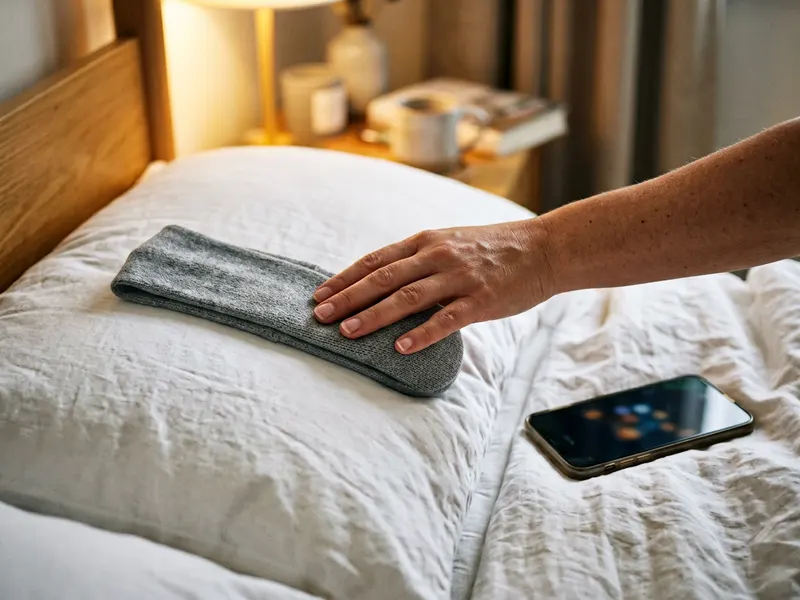 Perytong Sleep Headband Headphones
Cutting back on coffee? A comfortable sleep band helps you rest well without needing a fourth cup.
-
 Sunrise wake-up light alarm clock
A sunrise light wakes you gently, so the first cup of the day is a choice, not a rescue.
-
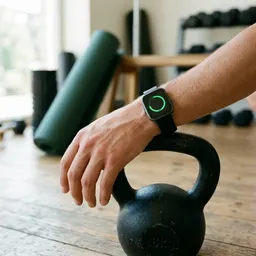 Amazfit Bip 6 Smartwatch
Track your sleep and heart rate on your wrist and see how fewer cups change your days.
Helps keep the tools free. ✨
Images are for illustration only. As an Amazon Associate I earn from qualifying purchases.


