Bike Gear Ratio Calculator
This bike gear ratio calculator compares chainring and cassette combinations instantly — enter your chainring teeth and cassette cog teeth once, pick a wheel size, and every gear ratio and gear inches figure updates as you type. The result is a complete bike gear ratio comparison chart — every chainring against every cassette cog, in one view. No spreadsheet, no page reload, and nothing leaves your device: the whole grid is computed right here in your browser.
What Is a Bike Gear Ratio?
A gear ratio is simply the chainring's tooth count divided by the cassette cog's tooth count. A 50-tooth chainring paired with an 11-tooth cog gives a ratio of 4.55 — a big, hard gear for flat ground or a sprint. The same chainring paired with a 32-tooth cog gives a ratio of about 1.06 — a small, easy gear for climbing. Type your own chainrings and cassette cogs into the fields above and the grid fills in every combination, sorted so the smallest cog sits at the top and the largest chainring on the left. The single lowest ratio in the grid is labeled Climbing Gear and the single highest is labeled Sprint Gear, so your two extremes are always obvious at a glance.
Gear Inches vs. Gear Ratio
Gear ratio alone doesn't account for wheel size — the same 1.06 ratio moves a bike much further per pedal stroke on a 29" wheel than on a 20" wheel. Gear inches fixes that: it's the gear ratio multiplied by the wheel's diameter in inches, giving a figure you can compare across different wheels. Use the Ratio / Gear inches toggle above the grid to switch views without re-entering anything — in effect, a live gear inch chart for whichever wheel you pick. The four wheel-size presets (700c, 29er, 27.5"/650b, 26") cover the diameter most riders need; if your tire and rim combination sits far from the standard, turn on Custom wheel setup and enter the exact rim bead-seat diameter and tire width in millimeters for a precise figure instead of an approximation.
Comparing 1x, 2x, and Single-Speed Setups
The chainring field accepts up to three teeth counts separated by commas, so the grid adapts
to whatever drivetrain you're comparing. Enter two values like 50, 34 for a
standard 2x road setup and the grid shows two columns side by side. Enter a single value like
32 for a 1x setup and the grid collapses to one column against every cassette
cog. For a true single-speed bike, enter one chainring and one cassette cog and the grid is
just a single cell — the ratio and gear inches for that one fixed gear.
Picking the Right Wheel Size (700c, 29er, 27.5", 26")
Wheel size only matters for the gear inches view — gear ratio is the same number regardless of wheel. The four presets are effective rolling diameters for each wheel's typical tire, not the bare rim size, so a 700c preset already accounts for a road tire and a 29er preset already accounts for a mountain bike tire. Select a preset to switch instantly, or enable Custom wheel setup to enter your exact rim diameter and tire width if your setup is unusual — a fat-tire build or a non-standard gravel tire, for example.
Reading Cassette Gear Jumps
The Jump between gears list below the grid shows the percentage change in effort from one cassette cog to the next, independent of which chainring you're using. A small jump — under 10% — feels like a smooth, gradual shift; a jump over 15% is flagged as a large gap, because it's a noticeably bigger jolt in cadence than the gears around it. Wide-range cassettes built for steep climbs (an 11–42 or 10–52, for example) typically carry several large gaps near the low end — that's the trade-off for a very low climbing gear, and seeing exactly where those gaps land helps when choosing between cassette options.
MTB vs. Road Gear Ratios
Road setups typically sit higher and narrower — a 50/34 chainring with an 11–32 cassette spans roughly a 1.06 to 4.55 ratio, tuned for pavement and moderate climbs. Modern mountain bike drivetrains run much lower and wider: a single 30–34t chainring paired with a wide-range 10–52t cassette can drop well under a 1.0 ratio for steep, technical climbing, at the cost of a lower top-end speed. Switch the wheel size preset between 700c and 29er/27.5"/26", enter your own chainrings and cassette, and compare the Climbing Gear and Sprint Gear cells directly to see how the two styles differ for your specific setup.
Frequently Asked Questions
What is the best gear ratio for cycling?
There isn't one best ratio — it depends on terrain, fitness, and cadence preference. A road rider on flat ground is usually comfortable around a 3.0–4.5 ratio (chainring teeth ÷ cog teeth), while a steep climb calls for something closer to 1.0 or lower. Enter your own chainrings and cassette above and the calculator highlights your easiest (Climbing Gear) and hardest (Sprint Gear) combination automatically, so you can see your own range instead of a generic number.
What's the difference between gear ratio and gear inches?
Gear ratio is just chainring teeth divided by cog teeth — a plain number like 4.55 that ignores wheel size entirely. Gear inches multiplies that ratio by the wheel's diameter in inches, giving a real-world figure you can compare across different wheel sizes: a 4.55 ratio is a much bigger gear on a 29" wheel than on a 26" wheel, and gear inches shows that difference directly. Use the Ratio / Gear inches toggle above the grid to switch between the two.
How does wheel size affect gear inches?
Gear inches is gear ratio multiplied by wheel diameter, so a bigger wheel turns the same ratio into a bigger gear inches figure — more distance per pedal stroke. Pick a wheel size preset (700c, 29er, 27.5"/650b, or 26") and every cell in the grid recalculates instantly. If your tire and rim combination isn't close to a standard preset, turn on Custom wheel setup and enter the exact rim diameter (BSD, in millimeters) and tire width to get a precise figure instead of an approximation.
Can I use this calculator for a single-speed or 1x setup?
Yes. Enter just one chainring — for example, 32 — and the grid shows a single column against every cassette cog, exactly like a 1x drivetrain. For a true single-speed, enter one chainring and one cassette cog and the grid collapses to a single cell. You can enter up to three chainrings at once, so a 2x or 3x setup and a 1x setup are just a matter of how many numbers you type.
What's a good gear ratio for mountain biking?
Modern MTB drivetrains lean much lower than road setups because of steep, technical climbs — a common 1x32t chainring paired with a 10–52t cassette gives a climbing ratio around 0.6, far lower than a road bike's easiest gear. Pick 29er, 27.5"/650b, or 26" above, enter your chainring and cassette, and the grid's Climbing Gear cell shows exactly how low your specific setup goes.
How does this compare to the Sheldon Brown gear calculator?
Sheldon Brown's calculator is a long-standing, respected reference, built for desktop browsers and one gear combination at a time. This tool is built mobile-first: type your chainrings and cassette once and see every combination in a single reactive grid, with the hardest and easiest gears highlighted and the percentage jump between every cassette cog listed automatically — no page reload, no separate lookup for gear inches versus ratio.
Recommended
-
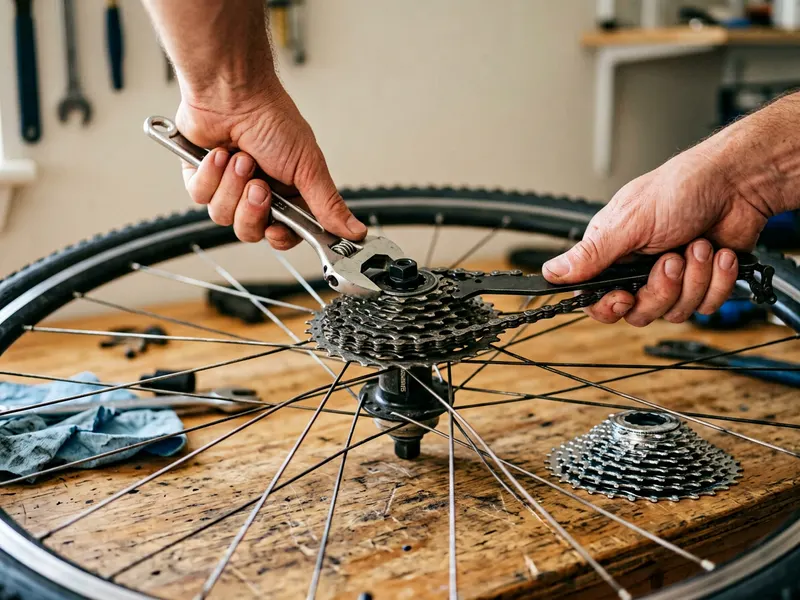 Oumers Cassette Removal Tool & Chain Whip
Found a better gear range? This is what swaps the cassette at home.
-
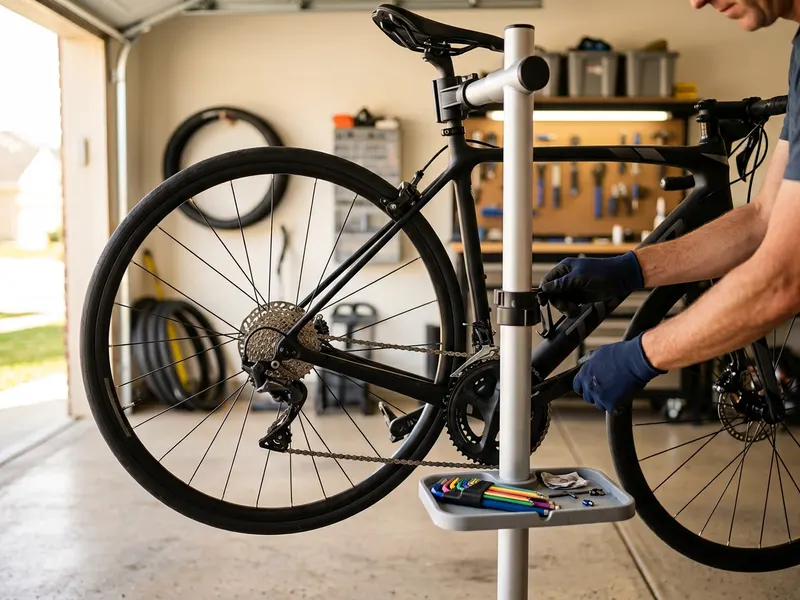 CXWXC Bike Repair Stand
Holds the bike at working height so you can shift through every gear as you tune.
-
 Big Blue Book of Bicycle Repair, 4th Edition
Park Tool's step-by-step guide to cassettes, chains and derailleur adjustment.
Helps keep the tools free. ✨
Images are for illustration only. As an Amazon Associate I earn from qualifying purchases.


