Sheet Music to Guitar Tab Converter
This is a sheet music to guitar tab converter that runs entirely in your browser — drop in a MusicXML, MXL, or MIDI file and get back standard ASCII tab, free, with nothing uploaded. What sets it apart from a naive note-to-fret mapper is a fretboard pathfinding algorithm: every chord and note run is checked against real hand-stretch limits before it's placed, so the tab you get never asks for a fingering that isn't physically possible.
How the Fretboard Pathfinding Algorithm Picks Playable Fingerings
A naive converter maps each pitch to the first open string it fits on, which routinely produces chords that need four fingers stretched across seven frets — technically correct notes, unplayable in practice. This tool instead treats the whole piece as a graph: every note or chord gets every valid string/fret placement it could use, and a shortest-path search picks the sequence of fingerings that keeps the hand in one comfortable position as long as possible, favors open strings and low frets, and never lets a single chord's fret span exceed your Max Hand Stretch setting.
When a chord genuinely can't be voiced within your current tuning and stretch limit — more notes than strings, or a spacing no human hand covers — the algorithm drops the least important note (starting from the top) rather than producing a broken tab. You'll see this flagged in the results if it happens, and it's usually a sign to widen Max Hand Stretch or try an alternate tuning instead.
Supported File Types: MusicXML, MXL, and MIDI
Three formats go in: .musicxml and .mxl (the uncompressed and zip-compressed exports most notation software produces — MuseScore, Finale, Sibelius, Guitar Pro), and .mid / .midi files from anywhere, up to 5MB. A MusicXML or MXL file only reads its first instrument part, since a guitar tab has one line to fill no matter how many staves the original score had; a MIDI file merges every non-percussion track into a single chronological sequence before the fretboard solver runs.
Scanned or photographed sheet music (PDF, JPG, PNG) isn't supported — that needs optical music recognition to pull out pitch data first, which is a different problem than this tool solves. Export a MusicXML or MIDI file from whatever notation software opened or created the PDF and convert that instead.
Tuning, Capo, and Max Hand Stretch Settings
Select Tuning & Playability on the results screen to open three controls, all of which recalculate the tab instantly:
- Guitar tuning — Standard, Drop D, Half-Step Down, Drop C, Open G, Open D, or DADGAD. Changing tuning changes which strings can reach which pitches, so the whole tab can shift shape.
- Capo fret — every open string's pitch shifts up by the capo position, and the tab's fret numbers are counted from the capo, exactly as a guitarist reading a capo'd tab expects.
- Max hand stretch — the widest fret span allowed within a single chord, 3 to 7 frets. Lower it for an easier, more conservative tab; raise it if you want fewer dropped notes on dense chords and don't mind a bigger stretch.
Reading and Copying the ASCII Tab Output
The result is standard 6-line ASCII tab — the top line is the high e string, the bottom is the low E string (or whatever your chosen tuning renames them to), and each column is one note or chord in the order it appears in the source file. Long pieces wrap into multiple blocks so the tab stays readable instead of scrolling sideways forever. Select Copy tab to grab the whole thing as plain text, ready to paste into a text file, a forum post, or your own tab archive.
Frequently Asked Questions
Can I convert sheet music to guitar tab online for free?
Yes — drop in a MusicXML, MXL, or MIDI file and the tab appears immediately, with no account, no watermark, and no file leaving your device. The fretboard pathfinding runs entirely in your browser, so there's nothing to upload and nothing to wait on beyond the conversion itself.
Does it work with MIDI files?
Yes. A .mid file is parsed note-by-note — every pitch and chord across all non-percussion tracks is merged into one chronological sequence before the fretboard solver runs, exactly as it does for MusicXML. If your notation software can export MIDI, you can convert MIDI to guitar tab here without touching MusicXML at all.
Can I convert MusicXML files to guitar tab?
Yes — both the uncompressed .musicxml format and the compressed .mxl archive (the default export from MuseScore, Finale, and Sibelius) are supported. The tool reads the file's pitch and chord data directly; only the first instrument part is used, since guitar tab has one line to fill regardless of how many staves the original score has.
Can I convert piano sheet music into guitar tabs?
You can run a piano MusicXML or MIDI file through the same converter, but expect heavy editing afterward: piano routinely plays more notes at once, and across a wider pitch range, than six strings and four fingers can cover. The fretboard solver keeps the lowest six notes of any wider chord and drops what it can't physically place, which is a reasonable starting arrangement, not a faithful transcription.
Can I upload a PDF of sheet music?
No — PDF and scanned/photographed sheet music need optical music recognition to extract pitch data first, which this tool doesn't do. Export the score as MusicXML, MXL, or MIDI from whatever notation software created it (or opened the PDF) and convert that file instead.
Recommended
-
 Kyser Quick-Change Capo
Set a capo in the tool, then clamp this on the same fret and play.
-
 CAHAYA Folding Music Stand
Print your new tab and keep it at eye level while you play.
-
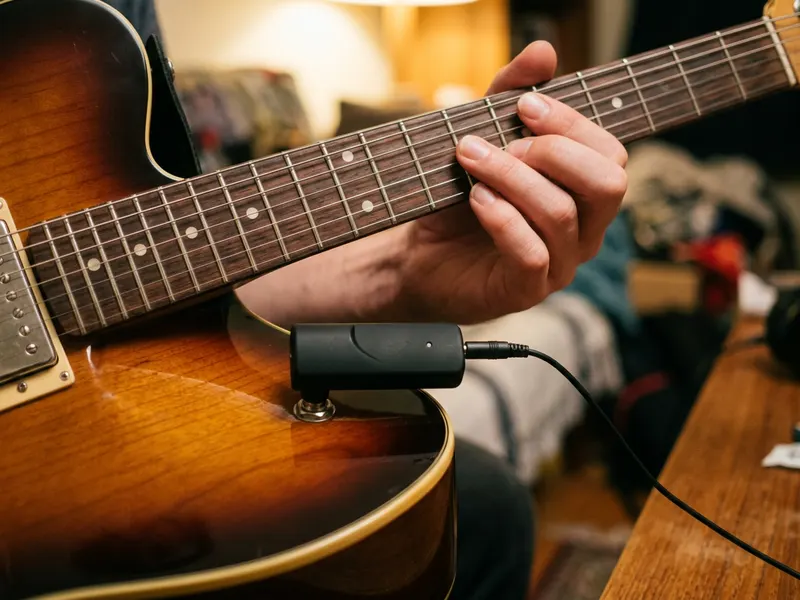 Fender Mustang Micro Headphone Amp
Plugs into your electric guitar so you can practise the tab silently on headphones.
Helps keep the tools free. ✨
Images are for illustration only. As an Amazon Associate I earn from qualifying purchases.


