Millisecond Timer Online
This millisecond timer online is a stopwatch and a countdown in one, showing time as hours, minutes, seconds and thousandths of a second. It keeps exact time even when the tab is hidden, records laps, and gives you a plain-text log you can paste into a timesheet. It runs in your browser and nothing is uploaded.
How to use the millisecond stopwatch
The clock opens in Stopwatch mode, counting up from 00:00:00.000:
- Tap Start. The display runs to the millisecond and the button splits in two.
- Tap Lap any time to mark an interval without stopping the clock.
- Tap Stop to end the session. The final interval is recorded and the page shows the Total elapsed time.
- Tap New timer to clear everything and start again.
The buttons are deliberately large, so you can hit them without looking at the screen.
Switch to a countdown timer with milliseconds
Tap the Settings gear and choose Countdown. Enter the Target duration in Hours, Minutes and Seconds, up to 99 hours, then tap Start. The display counts down to zero in milliseconds, stops there and shows Time is up. Settings can only be changed while the timer is not running. Turn on Audio chimes in the same panel to hear a short chime on every lap and a longer one when the countdown ends.
Record laps and copy the session log
Every lap shows two times: the Split, the time since the previous lap, and the Total, the time since you pressed Start. Once the timer is stopped, the session log lists the start date and time, the mode, every lap in order and the total. Tap Copy to Clipboard and the button turns to Copied; the log is plain text, ready to paste into a timesheet, a spreadsheet or a message.
Why it stays accurate in a background tab
Browsers slow ordinary timers in tabs you cannot see, which makes many online stopwatches lag. This timer ticks from a dedicated Web Worker that is not slowed this way. The tick never carries the time itself: every update reads the browser's high-resolution clock and subtracts the moment you pressed Start, so a late tick cannot cause drift. You can switch tabs, minimize the window or lock the screen and the time is still right when you return. Your phone may still pause a page it considers asleep, so keep the screen on for very long sessions.
Frequently asked questions
What is a millisecond timer online?
A millisecond timer online is a stopwatch or countdown that shows thousandths of a second, in the format 00:00:00.000. This one runs in your browser, so there is nothing to install and nothing to sign up for.
Is this millisecond timer free?
Yes. It is free with no account and no limit on how long or how often you use it. Everything runs on your device and nothing is uploaded.
How do I do laps on a stopwatch?
Tap Start, then tap Lap each time you want to mark an interval. The timer keeps running and each lap is added to the list with its split time and its total time. Tap Stop to end the session and record the final interval.
What does lap mean on a stopwatch?
A lap marks a point in time without stopping the clock. The split is the time since the previous lap, and the total is the time since you pressed Start. Together they let you compare one stretch against the next.
Can I use a countdown timer with milliseconds?
Yes. Open Settings, choose Countdown and set the Target duration in hours, minutes and seconds, up to 99 hours. The display counts down to 00:00:00.000 in milliseconds and stops there.
Does the timer stay accurate when the tab is in the background?
Yes. Browsers slow down ordinary timers in hidden tabs, so this tool ticks from a Web Worker and reads the exact time from the browser's high-resolution clock every time. Switching tabs or minimizing the window does not make it lose time.
Recommended
-
 Handheld Digital Stopwatch
A button-press timer for when the screen is out of reach
-
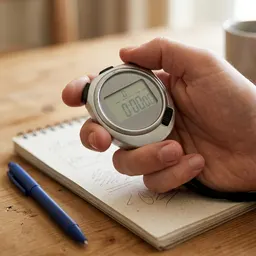 Metal Stopwatch, 0.01 s, 10 Laps
Hundredths of a second, with laps stored on the device
-
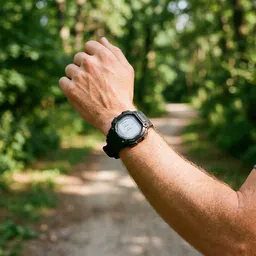 Casio Digital Sports Watch
Stopwatch and interval timers on your wrist
Helps keep the tools free. ✨
Images are for illustration only. As an Amazon Associate I earn from qualifying purchases.