Mesh Gradient Generator
Pick 2 to 8 colors and this mesh gradient generator blends them into a soft, smooth background you can shape by dragging the color points. Press Copy CSS for a mesh gradient in CSS that works in any modern browser, or Download SVG for a 1600 × 1200 file that scales to any size. It runs in your browser, with no WebGL, upload or account.
How to make a mesh gradient
- Look at the preview. The small round dots on it are the color points, one for each patch of color in the mesh.
- Press Randomize for a new random palette and layout, as often as you like, until something looks close.
- Open the Colors row and click a swatch to pick your own color. Use Add color for more (up to 8) or the small x on a swatch to remove one (down to 2).
- Move the Complexity slider, from 2 to 6, to change how many color points the mesh has.
- Drag a dot to move it, with a mouse or your finger. To use the keyboard, focus a dot and press the arrow keys; hold Shift for bigger steps.
- Press Copy CSS or Download SVG when the preview looks right. A short Copied or Saved note confirms it.
The preview updates as you change anything, and the CSS code box always shows the CSS for exactly what you see. Changing Complexity or pressing Randomize lays the points out afresh, so any dots you dragged go back to new positions.
What Complexity does
Complexity makes a grid of complexity × complexity color points, and each point gets one color from your palette. More points give a more varied mesh with smaller patches; fewer give broad, simple washes.
| Complexity | Color points | Size of each patch |
|---|---|---|
| 2 | 4 | 65% of the canvas |
| 3 | 9 | 43% |
| 4 | 16 | 33% |
| 5 | 25 | 26% |
| 6 | 36 | 22% |
One thing to watch: colors are dealt out to points, so a palette can have more colors than the mesh has points. With Complexity 2 there are only 4 points, so a palette of 6 colors shows at most 4 of them at once. Raise Complexity to bring the rest in.
Mesh gradient CSS you can paste
The CSS code box holds two declarations: a background-color (the average of your palette, so no
corner is ever left bare) and a background-image that stacks one radial-gradient() per color point. It is
ordinary CSS, with no image file or script. A single layer looks like this:
radial-gradient(ellipse 65% 65% at 25% 25%, rgba(255,107,107,1) 0%, … rgba(255,107,107,0) 100%)
Each layer fades from a solid color at its center to fully transparent at its edge, and the layers overlap, which is what makes the colors melt into each other. The size and position are percentages, so the gradient stretches to fit whatever element you apply it to.
Download the mesh gradient as an SVG
Download SVG saves mesh-gradient.svg. The file has a 1600 × 1200 viewBox, a base rectangle in the
same average color, and one radialGradient per color point. Because it is vector, it stays sharp as a phone wallpaper, a
slide backdrop or a social post background. In a frame that is not 4:3 it fills the frame and crops the edges instead of stretching.
If you need a PNG, open the SVG in a browser or an editor that reads SVG and export it at the size you want.
Using a mesh gradient as a background
- Website or hero section: paste the CSS into the rule for that element. Text over a busy mix of colors can be hard to read, so test it with the Color Contrast Checker.
- Slides, wallpapers and social posts: download the SVG and place or export it from your design app.
- Matching a brand: click a swatch and pick your own color. The Image Color Picker can pull a color out of a photo or logo first.
Both outputs are a snapshot of the current preview. If you randomize again, copy or download again to get the new one.
Frequently asked questions
Is there a mesh gradient generator that gives me CSS?
Yes, this one. The CSS code box shows a background-color plus a background-image made of stacked radial-gradient() layers, one per color point. It is standard CSS with no JavaScript or image file behind it, so it works in any modern browser. Press Copy CSS and paste it into a stylesheet or a style attribute.
Can I download a mesh gradient as an SVG?
Yes. Download SVG saves a file named mesh-gradient.svg with a 1600 by 1200 viewBox. It is built from radialGradient layers, so it stays sharp at any size. In a frame that is not 4:3 it fills the frame and crops the edges rather than stretching.
How do I use a mesh gradient as a website background?
Copy the CSS and paste the two declarations into the rule for the element you want to color, such as a hero section or the body. The washes are positioned in percentages, so they stretch with the element. Check that your text stays readable over the colors you chose.
Can I get a mesh gradient PNG?
Not directly: this tool exports CSS and SVG, not PNG. Open the downloaded SVG in a browser or an editor that reads SVG and export or screenshot it at the pixel size you need.
Can I animate the mesh gradient?
No. The tool makes one still gradient: you can drag the points and change the colors, but the CSS and SVG it exports do not move.
Is this the same as the gradient mesh tool in Illustrator?
No. Illustrator's gradient mesh is a grid of editable vector patches. This generator blends overlapping soft radial gradients, one per color point, which gives a similar smooth, multi-color look but exports as plain CSS or SVG.
Recommended
-
 Govee Smart Light Bars
Throw the same soft color glow onto the wall behind your monitor.
-
 Fujifilm Instax Mini Link 3 Phone Printer
Print your favorite mesh as a pocket-sized card or wallpaper keepsake.
-
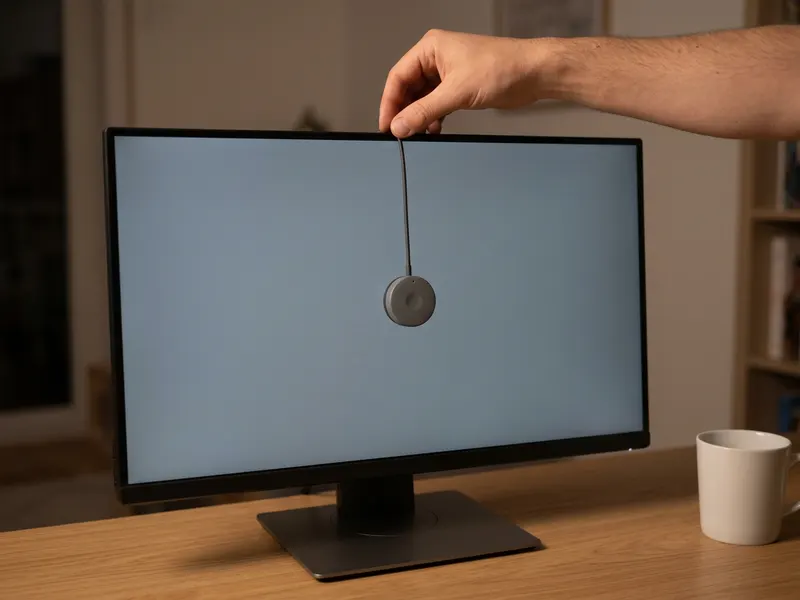 Calibrite Display 123 Colorimeter
Make sure your gradient looks the same on every screen it lands on.
Helps keep the tools free. ✨
Images are for illustration only. As an Amazon Associate I earn from qualifying purchases.


