Image to ASCII Art Generator: Copy and Paste as Text
Drop in a photo, a logo or a screenshot and get it back as ASCII art: a picture drawn with keyboard characters. Pick how wide it is, choose Standard, Blocks or Binary characters, and copy the result as plain text for a Discord or Reddit post, a code comment or a README. The image is converted in your browser and is never uploaded.
How to convert an image to ASCII art
- Add an image. Tap or click the dashed box that says "Choose an image or drop it here, or drop one here", then pick a file or drag one onto it. You can also press Paste image from clipboard, or just press Ctrl+V (Cmd+V on a Mac) anywhere on the page.
- Look at the art. It appears in a box in a monospaced font, with an N × M characters readout showing its width and height in characters. The default width is 80 characters, or 40 on a phone-width screen.
- Open Settings. The Settings button above the art reveals three controls: Output width, Character set and Invert colors. The art redraws as you change them.
- Copy it. Press the big Copy to clipboard button at the bottom. It changes to Copied! once the text is on the clipboard.
- Try another picture. The back arrow in the top bar (Start over) returns to the drop box.
Accepted files are PNG, JPG, WebP, GIF (the first frame), HEIC and camera RAW files such as DNG.
Settings: width, character set and invert
Output width is a slider from 10 to 300 characters. A small number gives a chunky, readable sketch; a large one keeps fine detail but needs a wide box to display. The height follows from the picture's proportions, so it is never stretched.
Character set decides which symbols draw the picture, from light to dense:
- Standard uses ten ordinary keyboard characters and pastes anywhere, including old terminals and source code.
- Blocks uses shaded block characters for a smoother, more solid look. It needs a font that has them, which nearly every modern app does.
- Binary draws everything with 1 and 0.
Invert colors reverses which pixels get the dense characters. Leave it off for dark ink on a light page, such as a white text box, an email or a document. Turn it on for a dark background, like Discord's dark mode. The preview shows the art dark on white normally and light on dark when inverted, which is how it will look where you paste it.
Image to ASCII art for Discord, Reddit and code comments
ASCII art only looks right in a monospaced font, where every character is the same width. Chat apps and forums show it correctly inside a code block, so paste it between triple backticks (```) on Discord, or use the code-block button or four-space indent on Reddit. In a code editor, paste it inside a comment block and it keeps its shape.
- Too wide. Art wider than about 80 to 100 characters wraps in a narrow chat box and falls apart. Lower Output width and check the N × M characters readout.
- Message limits. Discord caps a normal message at 2,000 characters, and the art is roughly width × height characters, so a small width is needed there.
- Dark backgrounds. If the pasted picture looks like a negative, switch Invert colors.
- Pick the right picture. High contrast and a clear subject work best. A busy photo turns to noise at low widths.
How the conversion works
The picture is shrunk to a grid with one pixel per character. Each pixel's brightness is worked out as 0.2126 × red + 0.7152 × green + 0.0722 × blue, and that brightness picks a character from the set: the densest character for the darkest pixels, so it reads as ink on paper, or the reverse when Invert colors is on. Because text characters are about twice as tall as they are wide, the number of rows is halved so the art keeps the picture's proportions. Transparent areas of a PNG come out blank. The output is plain text only, with no color.
Frequently asked questions
How do I convert an image to ASCII art?
Choose a picture with Choose an image or drop it here, or drop one here, paste it with Ctrl+V, or press Paste image from clipboard. The ASCII art appears straight away. Open Settings to change Output width, Character set or Invert colors, then press Copy to clipboard. It works on PNG, JPG, WebP, GIF, HEIC and camera RAW files.
Can I copy and paste the ASCII art as text?
Yes. Copy to clipboard puts the art on the clipboard as plain text, with every space and line break kept exactly. Paste it into a chat, a post, an email, a text file or a code comment. There is no download button, so to keep it as a file, paste it into a .txt file in any text editor.
How do I paste ASCII art into Discord?
Turn on Invert colors if you use Discord's dark mode, copy the art, and paste it between triple backticks (```) so Discord shows it in a monospaced code block. Without the code block the spacing collapses and the picture looks broken. Discord also limits a normal message to 2,000 characters, so lower Output width until the N × M characters readout is small enough to fit.
Can I convert an image to ASCII art with color?
No. This tool makes plain text only, so there is no color output: every character is the same color and the picture is drawn with light and dark characters alone. Plain text is what pastes cleanly into chats, posts and code comments. Invert colors only switches which pixels get the dense characters, for dark backgrounds.
How do I convert a PNG to ASCII art?
The steps are the same for every format. Drop the PNG on the dashed box, or paste it with Ctrl+V. A transparent PNG works too: transparent areas come out blank instead of as a solid block. JPG, WebP, GIF (first frame only), HEIC and camera RAW files such as DNG are accepted as well.
What is image to ASCII binary?
It is the Binary option under Character set, which draws the picture using only the digits 1 and 0 instead of punctuation or shading. It suits a hacker-style or matrix look in a post or a README. Standard uses ten characters from space to @, and Blocks uses shaded block characters.
Is my image uploaded when I convert it to ASCII art?
No. The picture is read and converted inside your browser on your own device, using a canvas, and nothing is sent to a server. Only the text you copy leaves the page, and only when you paste it somewhere.
Recommended
-
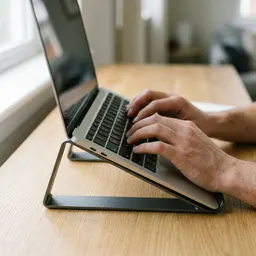 Amazon Basics Foldable Laptop Stand
Raise your screen while you tweak and post your text art.
-
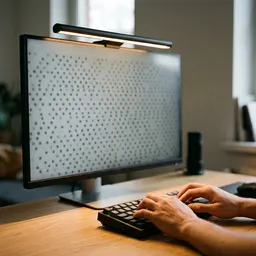 BenQ ScreenBar Pro Monitor Light
Soft, glare-free light for late-night banner tweaking.
-
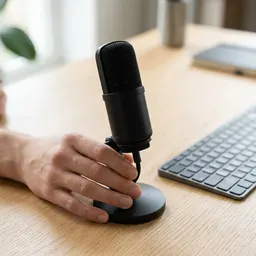 Logitech Blue Yeti USB Microphone
Chat clearly on Discord while you share your art.
Helps keep the tools free. ✨
Images are for illustration only. As an Amazon Associate I earn from qualifying purchases.


