Hex to Decimal Converter
Type or paste a hexadecimal number into Hexadecimal input and Decimal result fills in as you type. The answer is exact
however long the number is, with no 64-bit or 2^53 limit. Prefixes like 0x and #, spaces, commas and underscores are
ignored, so a raw dump such as 0xDE, 0xAD, 0xBE, 0xEF can be pasted as it is. The conversion runs in your browser and nothing is uploaded or saved.
How to convert hex to decimal
- Type or paste your hex number into Hexadecimal input, for example
0xFForDE AD BE EF. - Read Decimal result. It updates on every keystroke, so there is no convert button to press.
- Select Copy decimal to put the number on your clipboard. The button reads Copied for a moment to confirm.
- For a long number, turn on Group digits with separators to split the result into groups of three digits, using the separator of the page language (
1,208,925,819,614,629,174,706,175in English, with dots in German). It is off by default, so the copied number is plain digits unless you switch it on. - Select Clear, which appears once there is input, to start over.
What you can paste into the hex box
Whitespace, commas, semicolons and underscores are treated as separators and dropped. Each chunk may start with 0x or #.
Upper and lower case are both fine, and so are leading zeros.
| You paste | Read as | Decimal result |
|---|---|---|
FF | FF | 255 |
0x1F4 | 1F4 | 500 |
DE AD BE EF | DEADBEEF | 3735928559 |
0xDE, 0xAD, 0xBE, 0xEF | DEADBEEF | 3735928559 |
0xBE_EF | BEEF | 48879 |
#FF8800 | FF8800 | 16746496 |
Any other character, such as a G, a minus sign, a dot or a trailing h, shows the notice
"G" is not a hex digit. Hex uses 0-9 and A-F. with the character it found, and Decimal result stays empty until you remove it.
Hex to decimal examples
| Hex | Decimal | Note |
|---|---|---|
FF | 255 | Largest 8-bit value |
1F4 | 500 | |
10000 | 65536 | 16^4 |
7FFFFFFF | 2147483647 | Largest signed 32-bit value |
FFFFFFFF | 4294967295 | Largest unsigned 32-bit value |
20000000000000 | 9007199254740992 | 2^53, where ordinary JavaScript numbers start losing digits |
FFFFFFFFFFFFFFFF | 18446744073709551615 | Largest unsigned 64-bit value |
FFFFFFFFFFFFFFFFFFFF | 1208925819614629174706175 | 20 digits, 80 bits |
How to convert hex to decimal by hand
Hex is base 16. Each digit is worth 16 times the digit to its right: the places from the right are 1, 16, 256, 4096 and so on. Multiply each digit by its place and add them up. The letters stand for the numbers after 9.
| Hex digit | A | B | C | D | E | F |
|---|---|---|---|---|---|---|
| Decimal value | 10 | 11 | 12 | 13 | 14 | 15 |
Worked example for 1A3F: 1 x 4096 + 10 x 256 + 3 x 16 + 15 x 1 = 4096 + 2560 + 48 + 15 = 6719.
Type 1A3F into Hexadecimal input to check it. By hand this gets slow past a handful of digits, which is where a converter earns its place.
Large hex numbers: 64-bit, 128-bit and longer
Converters built on ordinary floating-point numbers can only hold whole values exactly up to 9007199254740991 (2^53 - 1), and beyond that the last digits are rounded. This page uses JavaScript BigInt instead, so a 64-bit hash fragment, a 128-bit identifier or a 256-bit key converts to its exact decimal value, digit for digit. The limit is 50,000 hex digits. Above that a notice tells you how many digits you entered and asks you to shorten the input.
What this converter does not do
- It reads every value as unsigned. There is no negative number, two's complement or signed reading, so
FFFFFFFFis 4294967295, not -1. - It converts whole numbers only. Hex with a point, like
1.8, is rejected. - It converts hex to decimal one way. For decimal to binary, the Number mode of the Binary Translator does that.
- A colour code such as
#FF8800is read as one number, not split into red, green and blue. - The bytes are read in the order you write them and are never swapped.
- If your hex is the bytes of encoded text rather than a number, the Base64 Converter handles Base64 to and from text.
Frequently asked questions
How do I convert hex to decimal?
Type or paste the hex number into Hexadecimal input and read Decimal result, which updates as you type. By hand, multiply each digit by a power of 16, starting with 1 on the right, and add the results: 1F4 is 1 x 256 + 15 x 16 + 4 = 500. The letters A to F stand for 10 to 15.
What is 0xFF in decimal?
255. F is 15, so FF is 15 x 16 + 15 = 255, the largest value one byte can hold. The 0x in front only marks the number as hex and is ignored.
How do I convert a large hex number, such as 64-bit or 128-bit, to decimal?
Paste it as it is. The conversion uses JavaScript BigInt, so there is no 64-bit or 2^53 limit and the result is exact, not rounded. FFFFFFFFFFFFFFFF (the largest 64-bit value) gives 18446744073709551615, and 32 F digits (the largest 128-bit value) give 340282366920938463463374607431768211455. The limit is 50,000 hex digits.
Does it accept the 0x prefix, spaces and commas?
Yes. Spaces, commas, semicolons and underscores are treated as separators and dropped, and each chunk may start with 0x or #. So 0xDE, 0xAD, 0xBE, 0xEF, DE AD BE EF and 0xDEADBEEF all give 3735928559. Upper and lower case both work, and so do leading zeros.
How do I convert a hex color code to decimal?
Paste the code, with or without the #. #FF8800 gives 16746496, because the six digits are read as one single number. If you want the red, green and blue values separately, convert each pair on its own: FF is 255, 88 is 136 and 00 is 0.
Can it convert signed hex to decimal?
No. Every value is read as an unsigned number, so FFFFFFFF gives 4294967295, not -1. For a 32-bit signed reading of a value that starts with 8 to F, subtract 4294967296 from the result yourself. A minus sign in the input is rejected.
Does it convert little-endian hex to decimal?
The digits are read exactly as written, with the leftmost digit the most significant, and the bytes are never reordered. If your data is little-endian, put the bytes in reverse order first: 78 56 34 12 becomes 12 34 56 78, which converts to 305419896.
Is the hex number I paste uploaded anywhere?
No. The conversion runs in your browser tab, and nothing you type is uploaded or saved.
Recommended
-
 TI-36X Pro Scientific Calculator
Switches between hex, decimal and binary, so you can check a value without opening a browser.
-
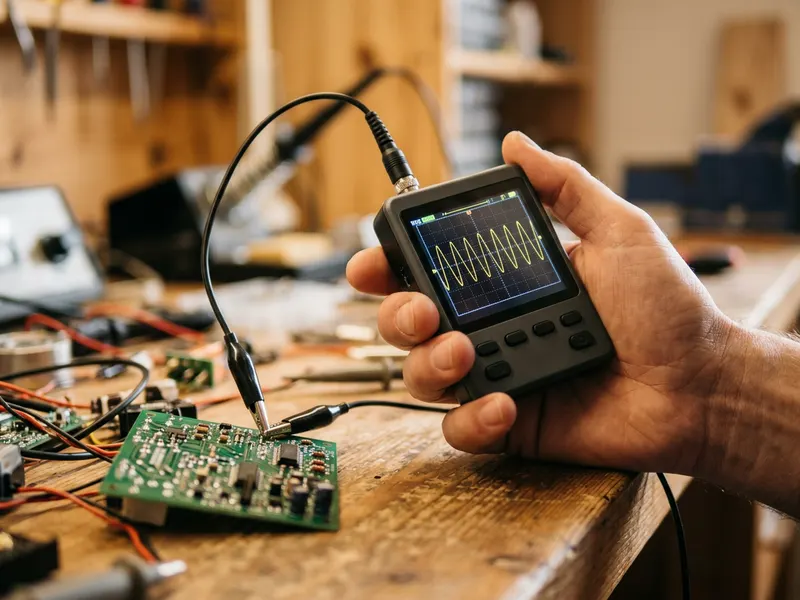 FNIRSI DSO152 Pocket Oscilloscope
Put a scope on the pin when a register value in your hex dump does not match what the board does.
-
 Samsung T7 Portable SSD (1 TB)
Keep the dumps, firmware images and logs you decode on a drive that fits in a pocket.
Helps keep the tools free. ✨
Images are for illustration only. As an Amazon Associate I earn from qualifying purchases.


