Filler Word Remover
Remove um, uh, you know and your own crutch words from a transcript or any pasted text, and the commas, spaces and capital letters they leave behind are repaired as the word goes. Paste into Raw text and the Cleaned text is ready to copy.
Remove filler words from a transcript, step by step
- Paste the transcript or text into Raw text (up to 100,000 characters). Clear empties it.
- Read Cleaned text below it. It updates on every keystroke and shows how many words were removed, or “Nothing to remove”.
- Tick Show removed words to see each removed filler struck through, so you can review the cuts before you keep them.
- Press Copy to clipboard to take the result. The Dictionary below it switches words on or off and takes your own.
Why the punctuation does not break
Deleting a word from a sentence usually leaves a stray comma, a double space or a lower-case sentence start. The remover treats the filler and its commas and spaces as one unit and repairs the join:
Only whole words are matched and capital letters do not matter, so umbrella, human and like-minded are left alone. Line breaks, indentation, timestamps and speaker labels stay exactly as pasted.
Filler words list: what is on and what is off
The Common fillers group is on by default: um, uh, uhm, er, erm, ah, hmm, like, you know, I mean, basically and literally. The Off by default group holds the words that are often real content: actually, sort of, kind of, I guess, or something and or whatever. Under Your own words you can add a speaker’s personal crutch, such as a single word or a whole phrase.
What it cannot do
It removes words by list, not by meaning. While like is on, “I like pizza” is cut too, so switch like off in the Dictionary for text where it is a real verb. It also edits text only: it does not remove filler words from audio or video files.
Your text is cleaned on your device and is not uploaded. The Dictionary choices are the only thing saved, on this device.
Frequently asked questions
How do I remove filler words from a transcript?
Paste the transcript into Raw text. The Cleaned text box below it updates on every keystroke, so there is no button to press. Check the count under it (for example "12 removed"), tick Show removed words if you want to see each cut struck through, then press Copy to clipboard. Transcripts of up to 100,000 characters are accepted.
Which filler words does it remove?
Out of the box it removes um, uh, uhm, er, erm, ah, hmm, like, you know, I mean, basically and literally. A second group, Off by default, holds actually, sort of, kind of, I guess, or something and or whatever, which you can switch on in the Dictionary. Each word is a chip: select it to turn it on or off.
Will it delete the word like when it is not a filler?
Yes, while like is switched on. The tool removes words by list, not by meaning, so "I like pizza" loses its verb. If your text uses like correctly, open the Dictionary and select like to turn it off. The choice is remembered on your device, and the chip shows how many times each word was removed so you can see which ones are doing damage.
Can I remove filler words from audio or video?
No. This works on text only: it does not listen to or edit audio or video files. If you already have a transcript of the recording, paste it here to get a clean written version. To cut the words out of the sound itself you need an audio or video editor.
Does it fix the punctuation and capital letters after removing a word?
Yes, and that is the point. "So, um, I think" becomes "So, I think", "Um, I think so." becomes "I think so." with the I already capitalised, and "I um, think" becomes "I think". A filler at the end of a sentence leaves the full stop behind, a filler that was a sentence on its own takes its full stop with it, and empty quotation marks left behind are removed.
Can I clean up a Zoom, YouTube or podcast transcript?
Yes. Copy the transcript text from wherever you read it and paste it into Raw text. Line breaks, indentation, timestamps such as 00:12 and speaker labels are left exactly as they were; only the spacing next to a removed word changes. Auto-generated transcripts often spell fillers inconsistently, so check the result once with Show removed words.
Can I add my own filler words or phrases?
Yes. Under Your own words in the Dictionary, type a word or phrase into Add a word or phrase and press Add. It appears as a chip you can switch off again or delete with its X. Multi-word phrases work, and matching ignores capital letters.
Are my transcript and settings uploaded or saved?
No. The text is cleaned in your browser and is never sent anywhere or stored. The only thing kept is your Dictionary choices (which words are on, and your own words), saved on this device so they are there next time.
Why remove filler words from a transcript?
Spoken language is full of um, uh and you know that read as clutter on the page. Removing them makes quotes, show notes, subtitles, speeches and interview write-ups shorter and easier to read without changing what was said. Keep them when you need a verbatim record, such as legal or research transcripts.
Recommended
-
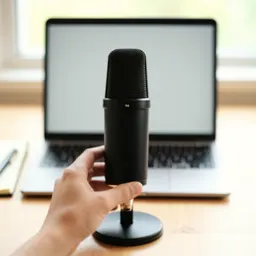 Amazon Basics USB Condenser Microphone
A clearer voice means fewer transcript errors to clean up.
-
 Samson Q2U USB/XLR Dynamic Microphone
A podcaster's workhorse mic that picks up less room noise.
-
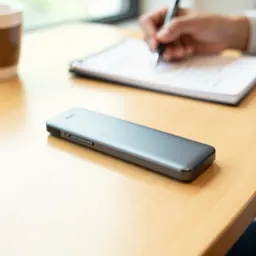 Plaud Note Pro AI Voice Recorder
Record meetings and lectures, then tidy the transcript here.
Helps keep the tools free. ✨
Images are for illustration only. As an Amazon Associate I earn from qualifying purchases.


